How to Verify an Authorized Lenovo Laptop Store in Bangalore
Discover practical ways to verify an authorized Lenovo laptop store Bangalore for authentic products, genuine warranties, and trusted service.
When searching for a Lenovo laptop store Bangalore, it’s important to buy from a legitimate source. Counterfeit products and unauthorized resellers are common in large tech markets, and purchasing from them can lead to poor product quality, void warranties, and limited after-sales support. In this guide, we explain the steps you can take to verify an authorized Lenovo store.
1. Check Lenovo’s Official Store Locator
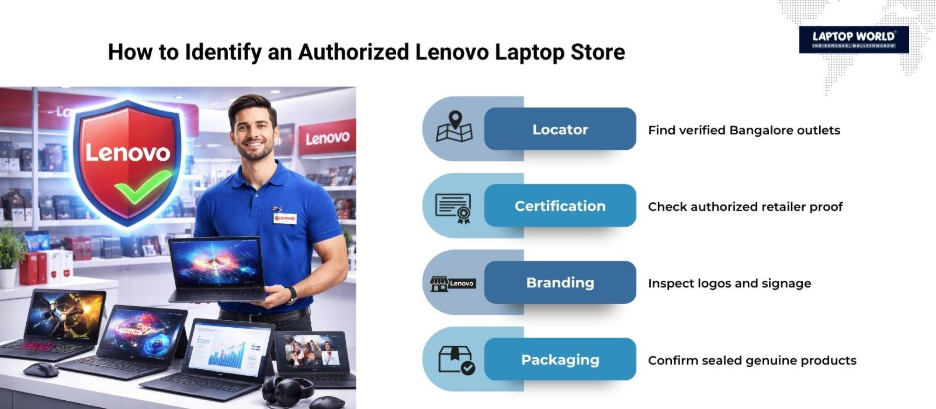
The first step is to use Lenovo’s official website to find verified retail partners. Lenovo provides a store locator tool where you can search by city, district, or area. This tool lists all authorized Lenovo outlets, including their address and contact details. Using this feature gives you direct access to stores recognized by Lenovo. Visit the Lenovo India Store Locator and enter “Bangalore” to see all verified outlets.
2. Look for Lenovo Certification and Branding
Authorized Lenovo stores display official branding and certifications. These include:
- Lenovo Authorized Retailer Certificate: Usually visible at the store entrance or near the billing counter.
- Lenovo Logos and Signage: High-quality, consistent branding that matches Lenovo’s official colors and fonts.
- Product Packaging: Genuine Lenovo laptops come in sealed packaging with original labels, warranty cards, and documentation.
Avoid stores that have inconsistent logos, poor signage, or packaging that seems tampered with. These are often signs of unauthorized retailers.
3. Verify Warranty and Product Authentication
A key factor when buying a Lenovo laptop is the warranty. Authorized stores register your purchase directly with Lenovo, allowing access to:
- Standard Manufacturer Warranty: Typically one year for laptops in India, extendable to 2–3 years with Lenovo’s support plans.
- Product Authentication: Lenovo provides online tools to check the serial number and confirm the laptop is genuine.
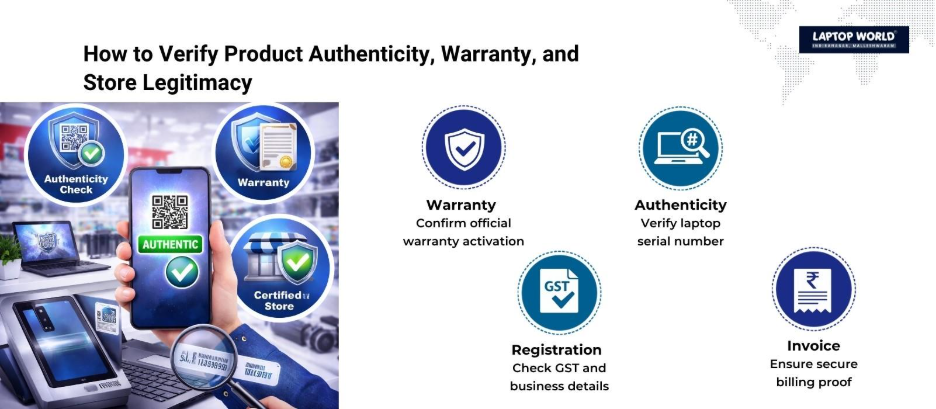
After purchasing, visit Lenovo’s warranty check page and enter the laptop’s serial number (S/N) or machine type model (MTM). If the laptop is registered, it confirms authenticity. Unauthorized stores often sell products without proper registration, which makes warranty claims complicated.
4. Examine the Product Range and Services
Authorized Lenovo stores offer the complete range of Lenovo laptops, including ThinkPad, IdeaPad, Legion, Yoga series, etc. These stores also provide:
- On-site technical support
- After-sales service centers
- Software installation services
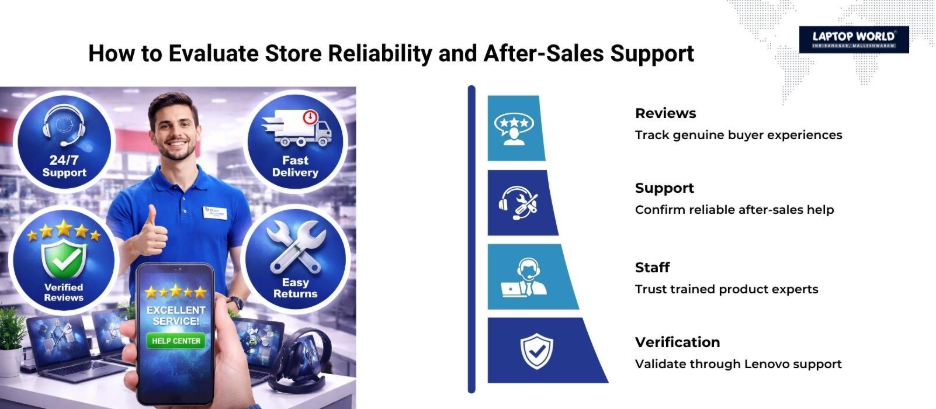
Check if the store has trained staff who can answer technical questions about specifications, compatibility, and configurations. Staff at genuine stores will also guide you on warranty plans, device protection services, and extended support options.
5. Verify the Store’s GST and Business Registration
In India, authorized retailers are registered businesses with proper documentation. You can verify a store by:
- Requesting the GST number and checking it on the GST portal
- Confirming the store is listed in business directories and has a permanent physical address
- Checking for valid trade licenses, which reputable stores usually display at the counter
A legitimate store will openly provide these details when asked. Fraudulent vendors often hesitate or refuse to share GST and registration information.
6. Review Customer Feedback and Online Presence
Online reviews can reveal a lot about a store’s credibility. Check platforms like Google Reviews, Justdial and social media pages. Look for patterns in customer feedback regarding:
- Genuine product sales
- Timely warranty activation
- After-sales support and service responsiveness
Avoid stores with repeated complaints about fake products, warranty issues, or unprofessional staff. Positive reviews, especially mentioning verified purchases and responsive service, indicate a trustworthy Lenovo laptop store in Bangalore.
7. Confirm After-Sales Support Availability
Authorized Lenovo stores have direct access to Lenovo’s service centers, which handle:
- Hardware repairs under warranty
- Software and BIOS updates
- Battery replacement and accessory support
Before buying, ask the store about service center locations and the procedure for warranty claims. Stores without clear after-sales support are likely unauthorized, as Lenovo restricts warranty servicing to genuine partners.
8. Check Payment Options and Invoice Details
Legitimate Lenovo stores offer multiple payment options, including credit/debit cards, UPI, net banking, and financing schemes. They also provide:
- Official invoices with GST details
- Serial numbers and product details clearly listed
- Documentation needed for warranty registration
A detailed invoice serves as proof of purchase and confirms the authenticity of the laptop. Avoid stores that issue handwritten receipts or incomplete invoices, as these are red flags.
9. Contact Lenovo Support for Verification
If in doubt, contact Lenovo’s customer support directly. Provide the store’s name, address, and contact details to verify its status. Lenovo support can confirm:
- Whether the store is authorized
- If it sells genuine products with official warranties
- Any special certifications or accolades held by the store
This step is especially helpful when investing in premium hardware, like the Lenovo Legion or ThinkPad X1 series, where verifying authenticity is the only way to guarantee long-term support.
Final Thoughts
Buying from a verified Lenovo laptop store in Bangalore protects your investment and guarantees access to genuine products, official warranties, and after-sales support. By following these steps, you can have peace of mind and a smooth purchasing experience, whether buying for personal use or business purposes.
Also Check Out Trusted Multi-Brand Retailers Like Laptop World
While searching for an authorized Lenovo laptop store in Bangalore, you may come across multi-brand retailers that stock multiple laptop brands. One such reputable store is Laptop World, a multi-brand laptop store in Malleshwaram. We offer a wide range of genuine Lenovo laptops, alongside other top brands like HP, Dell, Asus, and Apple.
Shopping at Laptop World allows you to:
- Compare Lenovo models alongside other brands for the best choice.
- Access verified Lenovo laptops with proper invoices and warranty registration.
- Receive professional guidance from trained staff familiar with multiple laptop brands.
Even if you prefer an exclusive Lenovo store, visiting Laptop World can give you convenience, variety, and confidence in purchasing authentic Lenovo laptops in Bangalore.
FAQs
1. How do I find authorized Lenovo stores in Bangalore?
Use Lenovo’s official store locator and search for stores in Bangalore by name, area, or district.
2. What documents should an authorized store provide?
Official invoice with GST details, warranty registration documents, and store registration certificates.
3. Can I verify my Lenovo laptop online after purchase?
Yes, Lenovo allows warranty and authenticity verification using the serial number or MTM on its website.
4. Are all Lenovo resellers in Bangalore authorized?
No, only stores listed on Lenovo’s official site or certified as partners are authorized.
5. What services do authorized stores offer?
Technical support, software installation, warranty registration, and access to Lenovo service centers.
6. Why is warranty registration important?
It activates the manufacturer warranty and gives access to official after-sales support.
7. Do exclusive Lenovo stores have advantages?
Yes, they offer certified staff, latest models, promotions, and premium support.