What Is TDP in Laptop Processors and Why It Affect Performance
Discover what TDP in laptop processors means and how it affects performance. Buy the best models from an HP laptop authorised dealer in Bangalore.
When buying a new laptop, especially from a trusted source like an HP laptop authorised dealer in Bangalore, you may have come across technical terms like TDP. While CPU speed and core counts often grab the headlines, TDP ultimately dictates how your laptop performs under a real-world workload. Understanding TDP can help you make a better decision when selecting a laptop, whether for gaming, professional work, or daily tasks.
What Does TDP Stand For?
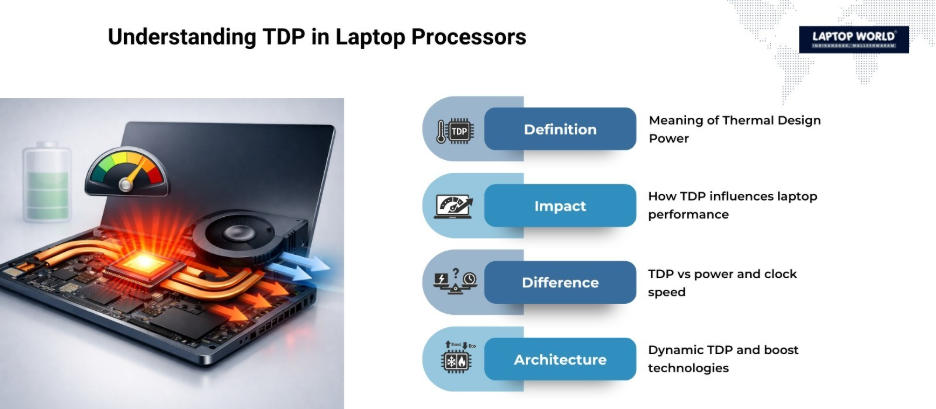
TDP stands for Thermal Design Power. In simple terms, it represents the amount of heat a processor produces under maximum operational load. Manufacturers use TDP to guide the design of cooling systems, such as fans or heat sinks, to maintain stable and safe CPU performance.
Unlike clock speed or core count, TDP does not directly measure power consumption. Instead, it indicates how much heat the processor will generate while running demanding tasks, which indirectly affects energy usage and system performance.
Why TDP Matters in Laptop Performance
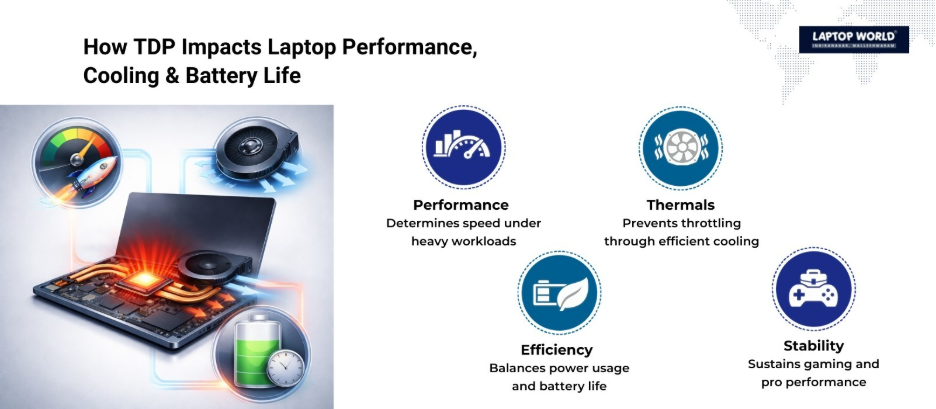
TDP has a direct impact on how fast and efficiently a processor can run. Higher TDP generally means the processor can handle more demanding tasks at higher speeds. Conversely, a lower TDP indicates less heat output, which often corresponds to lower performance but improved battery life and quieter operation.
Here are the main ways TDP influences performance:
- Thermal Limits – Laptops with processors that have high TDP require better cooling systems. If cooling is inadequate, the CPU may throttle its speed to prevent overheating, which can reduce performance.
- Power Consumption – Higher TDP chips consume more energy. This affects battery life, especially in ultraportable laptops.
- Clock Speeds – A higher TDP often translates to faster clock speeds, giving video editors and gamers the processing muscle they need for heavy workloads.
- Sustained Performance – Laptops with efficient cooling and higher TDP processors can maintain peak performance for longer durations without thermal throttling.
TDP Ranges in Laptops
Laptop processors come in various TDP ranges, which generally indicate their target usage:
| TDP Range | Common Use Case | Pros | Cons |
| 10–15W | Ultrabooks, thin laptops | Excellent battery life, lightweight, low heat | Limited performance for heavy tasks |
| 15–35W | Mainstream laptops, office use | Balanced performance and efficiency | Moderate heat output |
| 35–45W | Gaming laptops, content creation | High performance, capable of demanding tasks | Higher heat, shorter battery life |
| 45W+ | Mobile workstations | Maximum performance for professionals | Significant heat, requires advanced cooling |
This table helps visualize how TDP correlates with laptop capabilities. Choosing a laptop with the right TDP range depends on your workload and priorities.
TDP and Laptop Cooling
One of the biggest challenges in laptops is heat management. Unlike desktops, laptops have limited space for heat dissipation. When a processor’s TDP exceeds the cooling system’s capacity, the CPU may throttle performance to prevent damage. This is why gaming laptops and mobile workstations often feature advanced cooling solutions like multiple heat pipes, larger fans, or vapor chambers.
Even if a laptop has a powerful CPU, poor cooling can negate the advantages of a higher TDP. When shopping from an HP laptop authorised dealer in Bangalore, you can ask about the cooling design, fan noise, and thermal performance to understand how well the laptop manages heat under load.
How TDP Affects Battery Life
TDP is not just about heat; it also impacts battery life. Processors with higher TDP draw more power, which can significantly reduce battery runtime. For instance, a laptop with a 15W TDP CPU may last 8-12 hours on a single charge during light tasks, while a 45W TDP CPU may last only 3-5 hours under similar conditions.
If mobility and long battery life are important, selecting a laptop with a lower TDP processor might be the better choice. On the other hand, if performance is your priority, you may accept shorter battery life in exchange for faster processing speeds.
TDP and Overclocking
Overclocking is the practice of running a processor above its base clock speed. TDP is vital here because pushing the CPU harder generates more heat. Laptops are generally not ideal for aggressive overclocking due to thermal constraints, but some high-end models with advanced cooling systems allow modest overclocking.
Before overclocking, it’s important to check the laptop’s TDP headroom. A laptop with insufficient cooling cannot support higher TDP loads.
TDP in Modern CPU Architectures
Recent laptop processors, such as Intel’s 13th Gen Core or AMD’s Ryzen 7000 series, use dynamic TDP scaling. This means the CPU can adjust power and heat output based on workload. For example, a CPU with a 35W TDP might temporarily spike higher under heavy tasks (boost mode) and reduce to a lower TDP during idle periods.
Dynamic TDP improves efficiency, allowing laptops to perform well without constantly generating excessive heat. This feature benefits ultrabooks and gaming laptops alike, providing a balance between performance and portability.
Choosing the Right Laptop Based on TDP
When buying a laptop, consider the following:
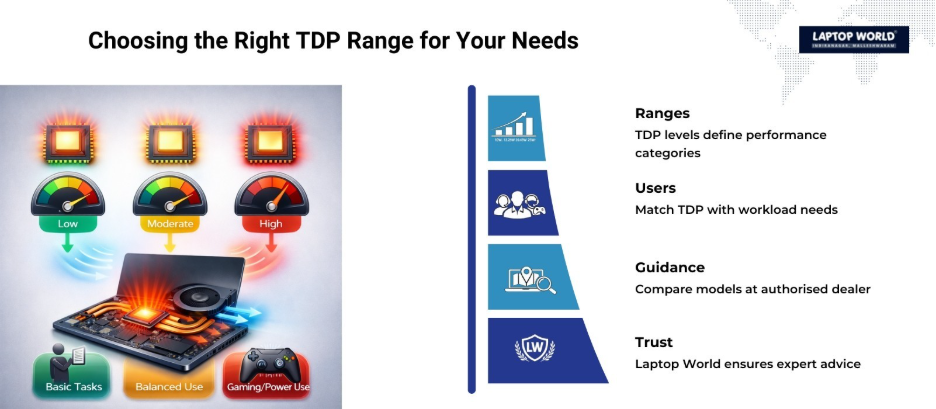
- For casual users: A CPU with 10–15W TDP provides sufficient performance for browsing, office work, and media consumption, while maximizing battery life.
- For mainstream users: 15–35W TDP CPUs offer a balance between performance and energy efficiency, suitable for multitasking, light gaming, and content creation.
- For professionals and gamers: 35W+ TDP CPUs deliver high performance for demanding tasks but require careful consideration of cooling and battery life.
Visiting an HP laptop authorised dealer in Bangalore can give you hands-on experience with different models. You can compare laptops with varying TDPs, check thermal performance, and see how each device handles your typical workload.
Final Thoughts
TDP is a key factor in laptop performance, affecting heat, power consumption, battery life, and sustained processing speeds. While higher TDP generally translates to better performance, it also demands superior cooling and can reduce battery life.
When purchasing a laptop from a reliable HP laptop authorised dealer in Bangalore, check the CPU’s TDP, cooling system, and real-world performance. This will help you find a laptop that meets your needs, whether you prioritize speed, battery life, or quiet operation.
About Laptop World
With 20 years of experience in Retail, Laptop World is Bangalore’s oldest multi-brand laptop store, offering a personalized customer experience. We are unbiased towards any particular brand, dealing with top names like HP, Lenovo, Dell, Asus, and Apple. Our commitment to excellent customer service sets us apart.
For businesses, our corporate division, Nurture IT, in Indiranagar, provides comprehensive IT solutions tailored for startups, ensuring all your IT needs are met in one place. From laptops to networking, servers, Information Security, End User Protection – we have you covered.
FAQs
- Does a higher TDP laptop processor always mean better performance?
Not always. While higher TDP processors can handle more demanding tasks, performance also depends on cooling design, RAM, storage, and overall system optimization.
- Is TDP important when buying a laptop for office work?
Yes. A lower TDP processor is often ideal for office work because it produces less heat and consumes less power, leading to longer battery life and quieter operation.
- Can TDP affect laptop fan noise levels?
Yes. Laptops with higher TDP processors generate more heat, which may cause cooling fans to run more frequently or at higher speeds, increasing noise levels.
- Should gamers choose laptops with higher TDP CPUs?
Gamers typically benefit from higher TDP CPUs, as they can maintain higher clock speeds during extended gaming sessions without significant performance drops.
- Can two laptops with the same TDP perform differently?
Yes. Performance can vary based on thermal design, cooling system efficiency, and manufacturer optimization, even if the processors have identical TDP ratings.