
Touch Screen Laptop Software and Applications: Maximising Your Touch Screen Experience
In recent years, touch screen laptops have revolutionised how we interact with technology. The ability to directly manipulate content on the screen with our fingertips has enhanced productivity, creativity, and entertainment. In this article, Laptop World will explore how touch screen laptop software and applications maximise your touch screen experience.
Understanding Touch Screen Laptops
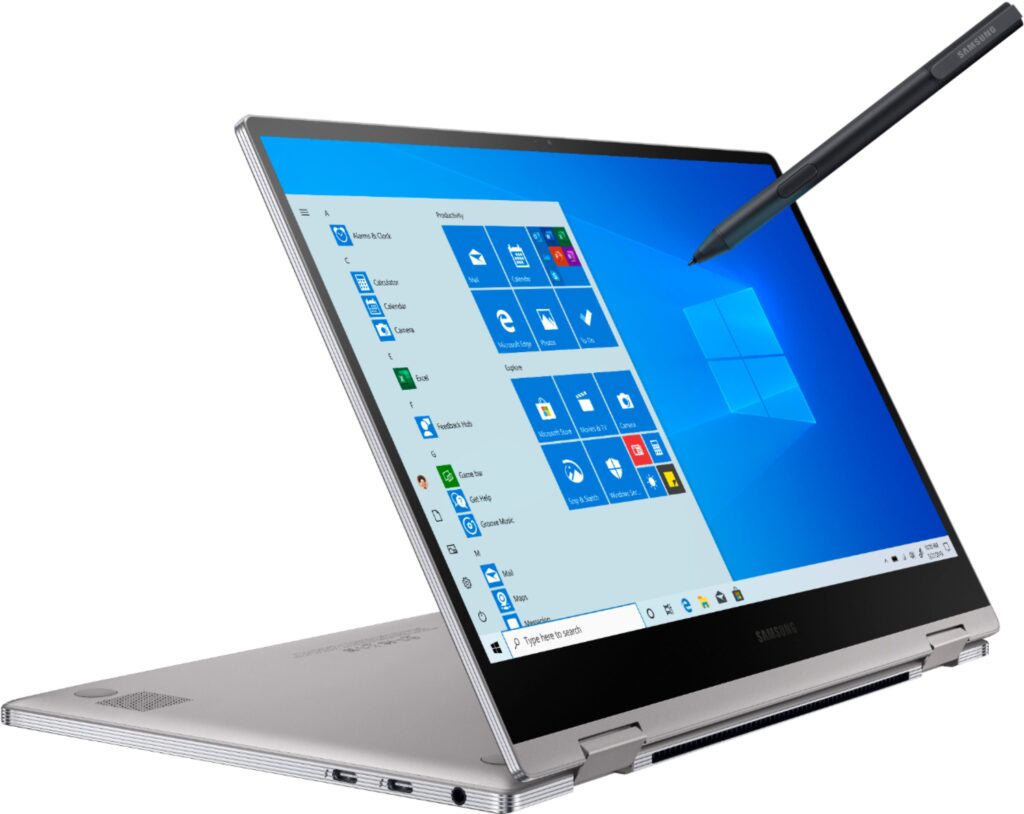
A laptop with a touch-sensitive display allows users to interact with their devices through gestures and taps. Touch screen laptops offer a more intuitive and engaging user experience compared to traditional laptops.
Explore the best Touch Screen Laptops in Bangalore at Laptop World! Discover a wide range of cutting-edge touch screen laptops that combine innovation with functionality.
Touch Screen Laptop Software
Operating Systems Optimised for Touch Screens
Leading operating systems have incorporated touch capabilities to optimise the touch screen laptop experience — Windows 10 and the newer Windows 11 offer a range of touch gestures and features. macOS also provides touch-friendly gestures, which makes it easier to navigate and interact with your laptop. Even Linux is now compatible with touch screen laptops.
Touch Screen Software Drivers and Updates
Touch screen laptops require specific software drivers to perform optimally. These drivers facilitate the communication between the operating system and the touch screen hardware. Regular updates from the laptop manufacturer or OS provider can improve responsiveness, accuracy, and compatibility with touch-based applications.
Calibration and Customisation Options
Touch screen laptops often come with calibration tools that allow you to fine-tune the sensitivity and accuracy of touch input. Calibration ensures that your device registers your touches accurately. Similarly, customisation options allow you to personalise gestures, tap settings, and other touch controls to suit your preferences.
Explore the best Touch Screen Laptops in Bangalore at Laptop World!
Touch Screen Applications for Productivity
Touch-Friendly Office Suites
Touch screen laptops focus on productivity. Therefore, touch-friendly office suites like Microsoft Office and Google Workspace offer enhanced features and optimised interfaces for touch interaction. You can effortlessly navigate through documents, spreadsheets, and presentations using intuitive gestures, making editing and collaboration more efficient.
Note-Taking and Annotation
Touch screen laptops offer excellent note-taking and annotation capabilities for students, professionals, or anyone who loves jotting down ideas. Applications like Microsoft OneNote, Evernote, and Notability offer natural handwriting recognition, allowing you to write and draw with precision. You can also annotate PDFs, images, and documents on your laptop.
Task and Project Management
Apps like Trello, Asana, and Todoist allow you to create, organise, and manage tasks effortlessly with touch gestures. By dragging and dropping cards or using swipe gestures, you can prioritise, assign, and track your tasks, improve productivity, and stay organised.
Graphic Design and Photo Editing
Graphic design and photo editing apps like Adobe Photoshop and Affinity Photo have incorporated touch-specific features, which allow you to paint, retouch, and edit images with your fingertips. The ability to zoom, rotate, and adjust settings directly on the screen provides a more immersive and precise editing experience.
Collaboration and Communication
Touch screen laptops make it easier to engage with others through video conferencing platforms like Zoom, Microsoft Teams, and Google Meet. You can join meetings, share screens, and interact with participants using touch controls, enhancing your communication and collaboration experience.
Explore the best Touch Screen Laptops in Bangalore at Laptop World!
Touch Screen Apps for Creativity and Entertainment
Digital Art and Drawing
Apps like Procreate, Adobe Illustrator, and Corel Painter offer a wide range of tools and brushes for digital art and drawing. With touch input, you can sketch, paint, and create stunning artwork directly on the screen, mimicking traditional art techniques in a digital environment.
Music Production and DJ Software
Touch-based digital audio workstations (DAWs) like Ableton Live and FL Studio allow you to manipulate tracks, trigger samples, and control effects through touch gestures. DJs can mix and remix tracks using touch-enabled software, bringing a new level of interactivity to their performances.
Video Editing and Multimedia
Video editing becomes more intuitive and interactive on touch screen laptops. Applications such as Adobe Premiere Pro and Final Cut Pro X offer touch controls for tasks like trimming, cropping, and adjusting video clips. You can also perform precise timeline scrubbing, making the editing process more fluid and efficient.
Media Consumption Apps
Streaming platforms like Netflix, YouTube, and others offer touch-friendly interfaces, allowing you to browse, select, and control content with ease. You can even swipe through movie catalogues, adjust the volume, and skip scenes effortlessly.
Explore the best Touch Screen Laptops in Bangalore at Laptop World!
Enhancing the Touch Screen Experience
Touch Screen Optimisation Tips and Tricks
To optimise your touch screen experience, keep the screen of your laptop clean. Adjust the brightness and colour settings to suit your preferences, and enable any touch-related settings offered by the operating system or manufacturer. Additionally, be mindful of touch gestures and shortcuts for efficient navigation.
Gestures and Shortcuts for Efficient Navigation
Mastering touch gestures and shortcuts can significantly enhance your efficiency. Familiarise yourself with common gestures like pinch-to-zoom, swipe, and tap-and-hold. Operating systems often provide gesture tutorials to help you get started. Also, explore keyboard shortcuts that complement touch input to perform actions quickly and seamlessly.
Customising Touch Controls and Settings
Personalisation is key to a satisfying touch screen experience. Use customisation options to modify touch controls and settings according to your preferences. This includes adjusting sensitivity, configuring gesture shortcuts, and customising on-screen keyboards. Experiment with different configurations to find the setup that suits your unique needs.
Accessory Recommendations for Touch Screen Laptops
Several accessories can further enhance your touch screen experience. Stylus pens and digital input devices provide greater precision and control when drawing or writing. Screen protectors help preserve the display’s integrity, and cleaning kits ensure a smudge-free screen. Additionally, external touch screen monitors can transform non-touch laptops into touch-enabled devices.
Explore the best Touch Screen Laptops in Bangalore at Laptop World!

Final Words
Touch screen laptops have redefined the way we interact with technology, offering a more immersive, intuitive, and engaging user experience. By leveraging touch screen software and applications, users can maximise productivity, unleash creativity, and enjoy entertainment in new and exciting ways. Whether you’re a professional, student, or casual user, embracing the potential of touch screen laptops will undoubtedly enhance your digital journey. So, dive in, explore the vast array of touch screen software and applications, and make the most of your touch screen experience.
About Laptop World
Laptop World is your one-stop shop to get your hands on that perfect work and gaming laptop with all kinds of unique specifications. We offer laptops at different price points from well-known brands like Lenovo, Dell, HP, Apple, and Asus. All you need to do is visit the Laptop World store and choose the one based on your budget, required features, and promising technology that suits your taste.