

Laptop RAM Upgrade for AI PCs: How Much Memory Do Local AI Tools Need in 2026?
AI tools are no longer limited to browser-based chatbots. You can now run language models, coding assistants, transcription tools, and image-generation applications directly on your laptop. The catch? These tools compete with your operating system and everyday applications for memory. If you’re considering a laptop RAM upgrade, the right capacity depends on the AI workloads…
AI tools are no longer limited to browser-based chatbots. You can now run language models, coding assistants, transcription tools, and image-generation applications directly on your laptop. The catch? These tools compete with your operating system and everyday applications for memory.
If you’re considering a laptop RAM upgrade, the right capacity depends on the AI workloads you plan to run. Adding memory can improve multitasking and help certain local models fit into available memory. However, RAM alone cannot compensate for an underpowered processor or insufficient graphics memory.
How Much RAM Do Local AI Tools Need in 2026?
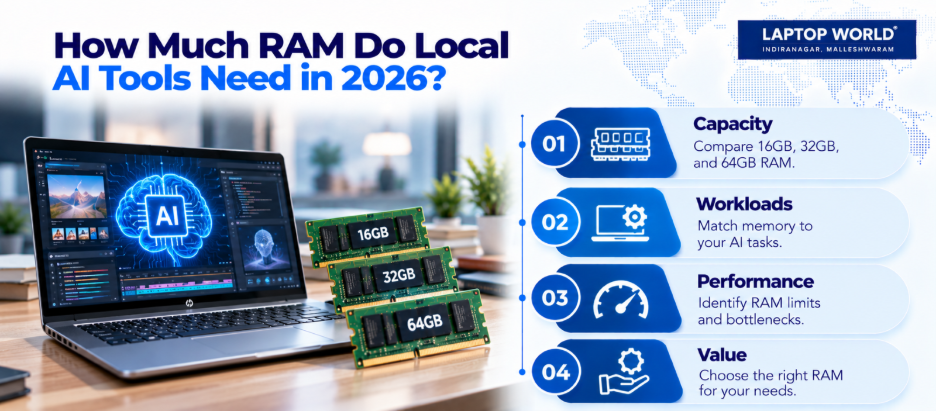
There is no universal memory requirement for local AI. Model size, quantization, context length, and available GPU memory all influence performance. Use these figures as practical starting points:
- 8GB RAM: Suitable for everyday computing and some lightweight, quantized AI models. Running larger models alongside other applications may be restrictive.
- 16GB RAM: A reasonable starting point for smaller local language models, basic coding assistance, and moderate multitasking.
- 32GB RAM: A practical choice for developers, content creators, and users running local AI tools alongside browsers, IDEs, and productivity software.
- 64GB RAM or more: Worth considering for larger models, extensive development workloads, and demanding multitasking. The model and GPU still determine what can run efficiently.
For everyday cloud-based AI assistants, a memory upgrade may not be necessary. Most processing happens on remote servers. Your laptop primarily runs the browser or application.
1. Understand What Your AI Workload Actually Needs
Before spending money, identify how you intend to use AI.
- Local language models: Applications like Ollama can run supported language models on your computer. Larger models generally require more memory, while quantized versions reduce memory requirements at the cost of some precision.
- AI coding assistants: Local coding models may need additional memory when you keep an IDE, browser tabs, development servers, and other applications open.
- AI image generation: Graphics memory can be especially important. However, a dedicated GPU with sufficient VRAM may matter more than increasing system RAM alone.
- Transcription and summarisation: Lightweight speech-recognition models and document-processing tools may work comfortably with 16GB, depending on the application and workload.
The important question is whether memory is your actual bottleneck. Check Task Manager on Windows while running your usual workload before deciding.
2. When Is a Laptop RAM Upgrade Worth It?
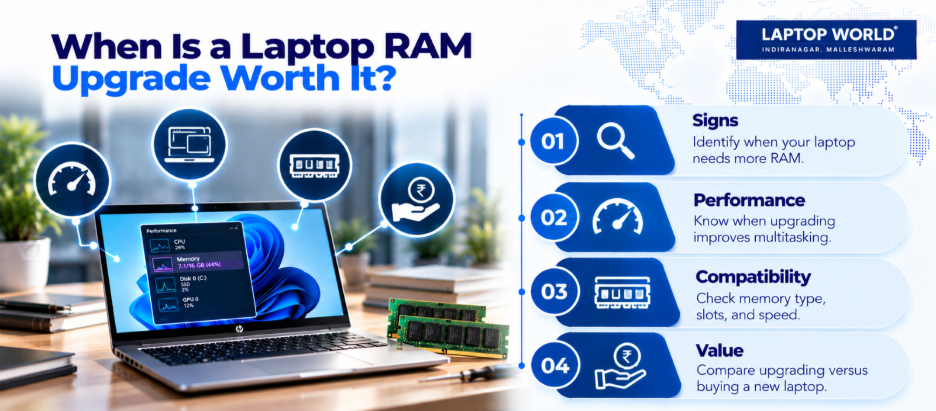
Consider upgrading if your laptop frequently reaches its memory limit, applications reload unexpectedly, or performance drops when you run local AI alongside other software.
For example, moving from 16GB to 32GB can provide more room for a local model, an IDE, and a browser to operate together. However, it will not automatically make every AI response faster. If the model is limited by GPU performance or processor speed, the improvement may be modest.
Before buying memory, check whether your laptop supports upgrades. Some models use soldered RAM, while others have accessible memory slots.
You can visit Laptop World to seek guidance when comparing hardware for your intended workload.
3. Don’t Confuse RAM With VRAM or Unified Memory
These specifications serve related but different purposes.
- System RAM supports the operating system, applications, and CPU-side workloads.
- VRAM is dedicated graphics memory used by a discrete GPU.
- Unified memory is shared across the CPU and GPU in supported architectures, including Apple silicon.
A model that fits in system RAM may still run slowly if the processor is not powerful enough. Likewise, a GPU may struggle to hold a model if its VRAM is insufficient.
4. Check Compatibility Before Buying RAM
A laptop RAM upgrade requires more than selecting a larger capacity. Therefore, check these details first:
- Memory type: Confirm whether the laptop uses DDR4, DDR5, LPDDR5X, or another supported configuration.
- Maximum capacity: Check the manufacturer’s stated memory limit.
- Available slots: Determine whether the laptop has upgradeable modules or soldered memory.
- Supported speed: A module’s advertised speed doesn’t guarantee that the laptop will operate at that speed.
- Existing configuration: Check whether you can replace one module or add another compatible module.
If your laptop has soldered memory, a conventional upgrade may be impossible. In that situation, buying a higher-memory configuration may be more practical than replacing the device later.
5. Choose Your Memory Capacity Based on Value
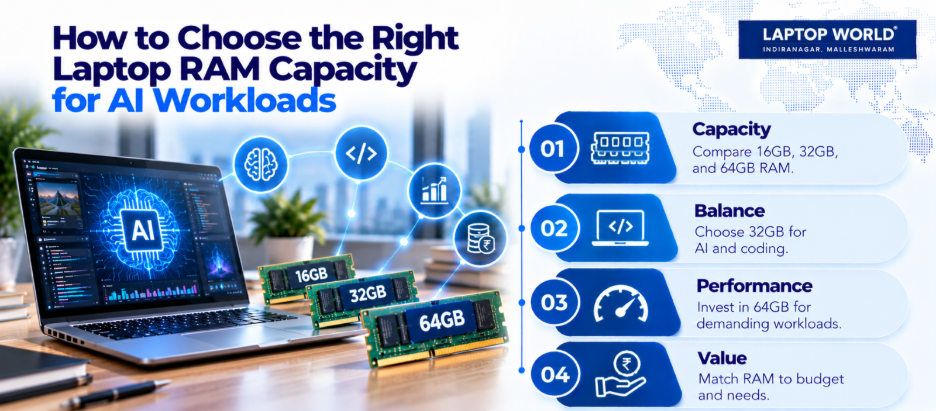
For most people exploring local AI in 2026, 32GB offers a useful balance between capacity and cost. It provides more headroom than 16GB without requiring every user to pay for 64GB.
However, if your work involves larger local models or intensive AI development, 64GB may be a better fit. If you mainly use cloud-based assistants, documents, and browser tools, 16GB may suffice.
Laptop World offers a range of laptop models and configurations.
Final Thoughts
The best laptop RAM upgrade depends on your actual workload. To keep it simple: 16GB is great for everyday use, 32GB is the sweet spot for local AI and coding, and 64GB+ is for heavy workloads.
However, before upgrading, confirm that your laptop supports additional memory and identify whether RAM, VRAM, or processing power limits your AI applications. A little research can prevent an unnecessary expense and help you get more useful performance from your existing device.
Planning a laptop RAM upgrade for AI tools? Visit the Laptop World store to explore options and get expert guidance before you buy.
FAQs
1. How much RAM do I need to run AI locally in 2026?
16GB is a reasonable starting point for smaller models. 32GB offers more flexibility, while larger models may require 64GB or more.
2. Is 16GB RAM enough for local AI?
It can handle smaller quantized models and lighter workloads. Larger models and extensive multitasking may require more memory.
3. Is 32GB RAM better than 16GB for AI?
It provides more headroom for models and other applications to run together. However, the improvement depends on your workload and hardware.
4. Do I need 64GB RAM for AI tools?
Not for most everyday AI tasks. It is more useful for larger models, demanding development environments, and heavy multitasking.
5. Can upgrading RAM make AI run faster?
It can improve performance when memory capacity is a bottleneck. It will not necessarily help if the CPU or GPU is the limiting factor.