
Laptop Accessories for Different Types of Users in Bangalore: What Should You Buy?
Buying a laptop is only the first step toward building a good setup. But the right accessories improve portability, connectivity, storage, comfort, and productivity. This matters even more in Bangalore. Students move between classrooms and hostels. IT professionals switch between home and office. Freelancers work from cafés and co-working spaces while gamers need peripherals that match…
Buying a laptop is only the first step toward building a good setup. But the right accessories improve portability, connectivity, storage, comfort, and productivity.
This matters even more in Bangalore. Students move between classrooms and hostels. IT professionals switch between home and office. Freelancers work from cafés and co-working spaces while gamers need peripherals that match their performance requirements.
The smarter approach is to buy accessories according to how you use your laptop, rather than buying a generic bundle.
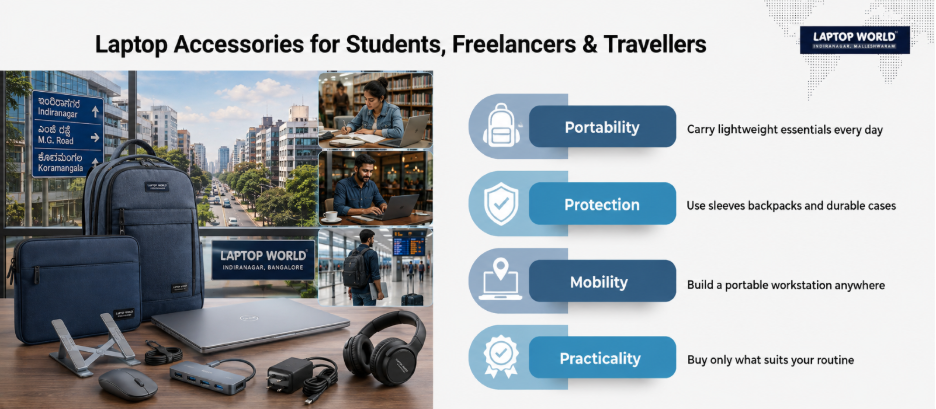
If you are comparing laptop accessories stores in Bangalore, use the following guide to decide what actually belongs in your setup.
1. Students: Prioritize Portability and Practicality
Students usually benefit more from lightweight, versatile accessories. Therefore, start with a padded laptop sleeve or backpack that fits your laptop properly. A dedicated compartment is preferable to carrying the device loose alongside books and chargers.
A compact wireless or Bluetooth mouse is another useful upgrade, especially for assignments, spreadsheets, presentations, and extended browsing. Also, if your laptop has limited ports, a small USB-C hub can be useful for connecting USB-A devices, displays, or storage.
A foldable laptop stand can also make sense for students who study for long periods at a desk. It raises the screen, while an external keyboard and mouse can be used to create a more conventional desktop arrangement.
Do not automatically buy a cooling pad, premium mechanical keyboard, or large external drive. Buy them only when your workload justifies them.
2. IT Professionals and Office Workers: Build Around Connectivity
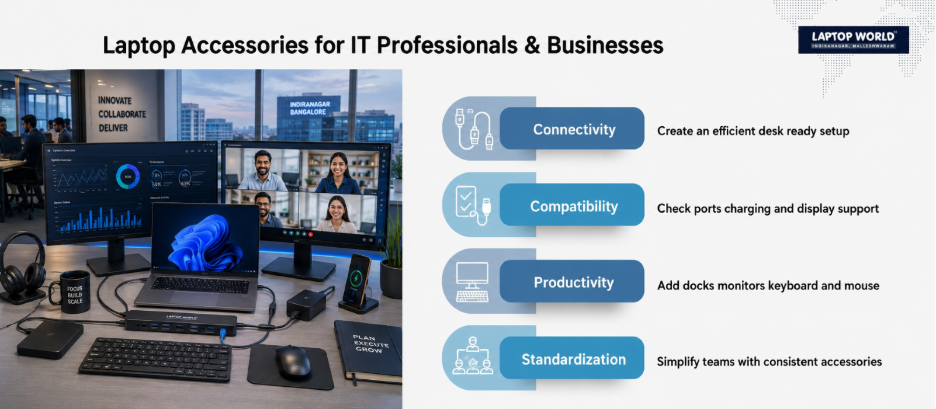
For office users, the biggest accessory problem is often connectivity.
Many modern laptops use USB-C ports for multiple functions, but not every USB-C port supports the same capabilities. A port may support data and charging without supporting video output. Therefore, check your laptop’s specifications before buying a dock or monitor adapter.
For a desk-based professional, a USB-C docking station, external keyboard, mouse, and monitor can transform a laptop into a practical workstation. A dock becomes particularly valuable if you regularly connect a monitor, Ethernet, keyboard, mouse, and external storage.
DisplayPort over USB-C can carry video, USB data, and power through a compatible connection. However, both the laptop and accessory need to support the relevant functions.
Before buying, make a simple inventory:
- How many displays do you use?
- Do you need Ethernet?
- How many USB-A devices do you connect?
- Do you need SD or microSD?
- Does your laptop charge through USB-C?
- What resolution and refresh rate does your monitor require?
This five-minute check can prevent an expensive compatibility mistake.
3. Remote Workers and Freelancers: Build a Portable Workstation
If your office changes from your home to a café or co-working space, portability should drive your accessory choices.
A practical mobile kit might include a compact charger, laptop sleeve, wireless mouse, foldable stand, USB-C hub, headphones, and cable organiser.
A USB-C Power Delivery charger can be useful when your laptop supports USB-C charging. USB Power Delivery negotiates power between compatible devices, with the current USB PD specification supporting power levels up to 240W.
Our work-from-café accessory guide offers a useful reference for choosing portable chargers, sleeves, stands, hubs, and external storage.
5. Gamers: Buy Performance Accessories, Not Just More Accessories
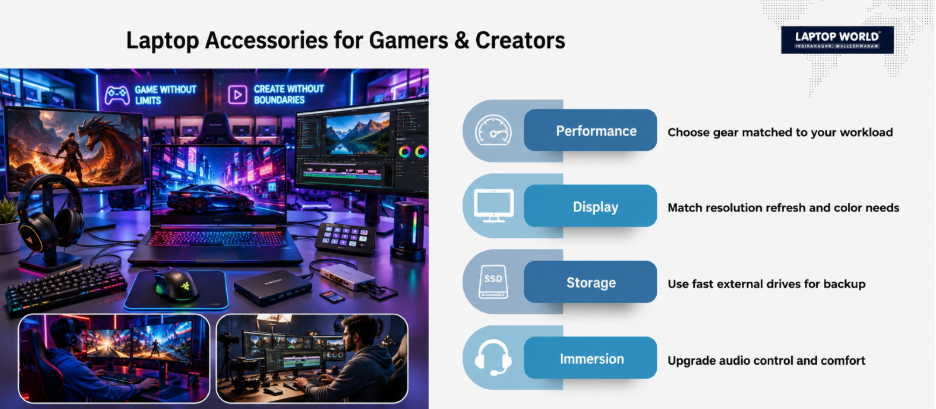
Choose gaming accessories around the games you play and the hardware you already own.
A gaming mouse with a sensor, a comfortable headset, and a full-size external keyboard can be worthwhile. If your laptop becomes hot under sustained workloads, a cooling pad may be useful, but it should not be treated as a universal performance upgrade.
A gaming monitor can also make sense when the laptop supports the required resolution and refresh rate.
The key is compatibility. Buying a 165Hz monitor does not automatically give you 165Hz output. The laptop’s GPU, display interface, cable, monitor, and game workload all influence the result.
6. Business Owners: Standardize Where It Makes Sense
Businesses have a different problem. Individual accessory choices can create unnecessary complexity.
For teams using similar laptops, standardized docks, monitors, keyboards, mouse, headsets, and chargers can simplify deployment and replacement.
For companies buying laptops and accessories at scale, the corporate IT side deserves separate consideration. Nurture IT, the business-focused IT division associated with Laptop World, provides broader IT solutions.
7. Travellers: Reduce the Number of Things You Carry
Frequent travellers should resist the temptation to buy every possible accessory.
A compact laptop sleeve, USB-C charger if compatible, compact mouse, multi-port adapter, and cable organiser can cover many situations.
Choose accessories based on your actual laptop ports. If your laptop already has HDMI, USB-A, and an SD card reader, you may not need a large hub containing ports you will never use.
The same principle applies to chargers. Do not assume that a third-party charger is appropriate simply because its connector fits. Check the laptop manufacturer’s charging requirements and the charger’s supported standards.
What Should You Actually Buy?
For most users, a sensible priority order is:
- First: protection and power.
- Second: connectivity.
- Third: ergonomics.
- Fourth: storage.
- Fifth: specialized performance accessories.
This approach is more economical than purchasing a large accessory bundle.
When comparing laptop accessories stores in Bangalore, ask whether the accessory is compatible with your exact laptop model, what ports and standards it supports, whether a warranty applies, and whether you genuinely need the feature.
Final Thought
The best laptop setup is not necessarily the one with the most accessories. It is the one where every accessory solves a real problem.
So, start with your workflow rather than the product shelf. Identify what slows you down, what you carry every day, and what your laptop can actually support. Then buy only the accessories that address those needs.
Ready to build a smarter setup? Get in touch with us for expert guidance!
FAQs
1. What are the most useful laptop accessories for students?
A laptop sleeve, wireless mouse, compact USB-C hub, and adjustable stand are practical starting points. Add external storage only when your existing storage becomes insufficient.
2. Do I need a laptop stand for everyday work?
Not necessarily. A stand can be useful if you work for long periods at a desk and want to raise the screen. For a more ergonomic setup, pair it with an external keyboard and mouse.
3. Is every USB-C port suitable for charging?
No. USB-C describes the connector shape. Charging capability depends on the laptop’s hardware and supported standards.
4. Can I connect a monitor through USB-C?
Yes, if the laptop’s USB-C port supports a compatible video function such as DisplayPort Alternate Mode. Check the laptop specifications before purchasing an adapter or dock.
5. Is an external SSD better than an external hard drive?
For many portable workflows, an SSD offers advantages in speed, size, and resistance to mechanical shock because it has no moving parts. The best choice still depends on capacity, budget, and intended use.