
10 Things to Compare Before Buying from Laptop Stores in Bangalore
Bangalore has no shortage of places to buy a laptop. A first-time buyer can walk into five stores and get five different prices for what looks like the same machine. That gap usually isn’t random. It comes down to warranty terms, invoicing, service quality, and a handful of details most people never think to check. Before you hand over…
Bangalore has no shortage of places to buy a laptop. A first-time buyer can walk into five stores and get five different prices for what looks like the same machine. That gap usually isn’t random. It comes down to warranty terms, invoicing, service quality, and a handful of details most people never think to check. Before you hand over your card, here are 10 things to compare across laptop stores in Bangalore so you don’t end up paying more for less.
1. Authorized Dealership Status
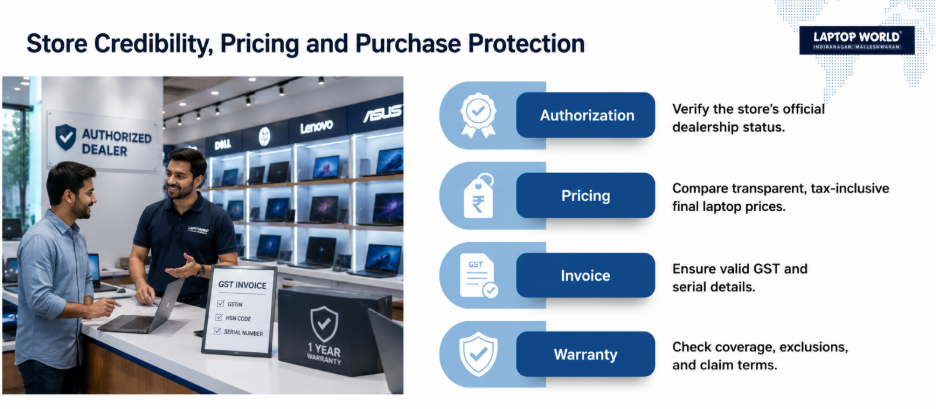
Not every seller carrying a Dell, HP, or Lenovo sticker is an authorized dealer. Ask to see the brand’s dealer certificate, or check the manufacturer’s official “find a store” page before you buy. An authorized dealer registers your device with the brand at the point of sale, so your warranty activates correctly. This is one of the fastest ways to separate trustworthy laptop stores in Bangalore from opportunistic sellers.
2. Billing and the GST Invoice
Every laptop sold in India attracts 18% GST under HSN code 8471, whether you buy from a mall showroom or a street-side shop. If a seller quotes a price “plus tax” and won’t confirm the final number upfront, that’s worth questioning. A proper GST invoice showing the store’s GSTIN, the item’s HSN code, and the laptop’s serial number is what protects your warranty claim later.
Compare how transparently different laptop stores in Bangalore quote their final, tax-inclusive price, and see how reputable laptop retailers handle it.
3. Warranty Coverage and Terms
Standard laptop warranties typically run one year, but what they cover varies a lot. Some include only manufacturing defects; others bundle accidental damage protection or extended coverage for a fee. Ask specifically what’s excluded — liquid damage, screen cracks, and battery wear are common gaps.
Warranty terms are one of the biggest differentiators between laptop stores in Bangalore, so it’s worth reading the fine print rather than taking a salesperson’s word for it.
4. After-Sales Support and Turnaround Time
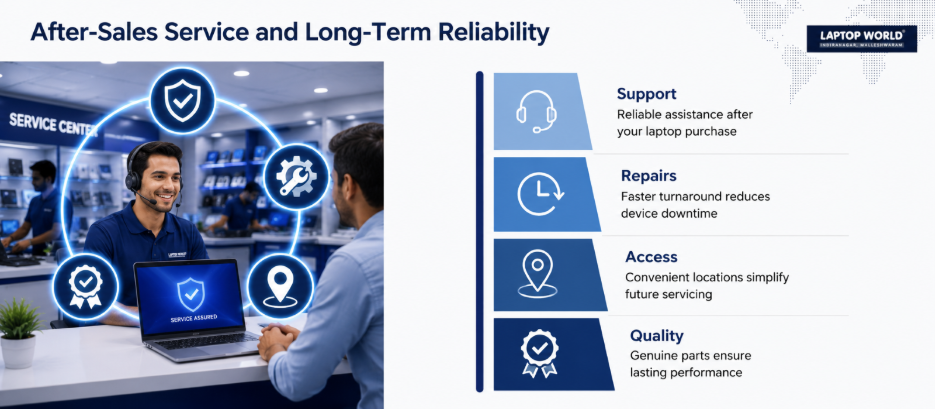
This is where many buyers get caught out. Ask how the store handles repairs: does it have an in-house service center, or does it courier your laptop to a regional hub and leave you without a machine for two weeks? A store with genuine in-house technicians for common issues, such as keyboard, screen, or battery faults, saves real time.

5. Exchange and Trade-In Value
If you plan to swap your old laptop for a new one, shop around for the best trade-in deal. Every seller evaluates trade-ins differently, and your payout hinges on how well your screen, battery, frame, and ports survive their inspection. Therefore, get the trade-in quote in writing before you commit to a new purchase, and ask whether it’s revised only after a physical inspection. Quotes can vary by several thousand rupees across different laptop stores in Bangalore, so it’s definitely worth getting a few quotes first.
6. EMI and Financing Options
No-cost EMI schemes look identical on paper but rarely are. Some absorb the interest into a slightly higher sticker price; others tie you to a specific bank’s card. Ask for the total payable amount across the full EMI tenure, not just the monthly figure, and check whether processing fees apply. Stores offering brand EMI or tie-ups with financiers like Bajaj Finance are usually more transparent about the real cost.
7. Return, Replacement, and DOA Policy
A dead-on-arrival (DOA) laptop should be replaced, not “sent for repair,” within the first week or two of purchase. Ask the store for the exact DOA window and whether it means a replacement or a refund. Our own refund and return policy is a good example of what a clearly worded policy looks like.
8. Store Location and Long-Term Accessibility
A great deal loses its shine if the store is an hour away every time you need service. Areas like Indiranagar, Malleshwaram, and Jayanagar have become genuine hubs because they combine multiple laptop stores in Bangalore with easy access to service.
9. Product Range: Single-Brand vs Multi-Brand
Single-brand outlets know their product line deeply but can’t offer a side-by-side comparison. Multi-brand laptop stores in Bangalore let you compare a Dell against a Lenovo against an Asus on the same counter, which matters when specs and pricing shift every quarter.
10. Genuine Parts and Accessories
Chargers, batteries, and RAM sold as “compatible” are sometimes rebranded components with shorter lifespans. If you notice a shop selling unsealed accessories or missing warranty cards, speak up before handing over your cash. Skimping on these details is a classic trick for shady laptop stores in Bangalore to slip you low-quality gear.
Final Word
None of these ten checks takes more than a few minutes at the counter, but skipping them is how buyers end up with a warranty that doesn’t apply, an EMI that costs more than expected, or a repair that takes a month. Comparing these factors, not just the sticker price, across laptop stores in Bangalore is what separates a good deal from a good-looking one.
Visit the Laptop World store in Malleshwaram today for expert guidance and dependable service.
FAQs
1. What is the GST rate on laptops bought in Bangalore?
Laptops attract a uniform 18% GST across India under HSN code 8471. This applies whether you buy from a physical store or online, and the rate is the same regardless of the brand or price of the laptop.
2. How can I check if a laptop store in Bangalore is an authorized dealer?
Look for the dealer certificate displayed in-store, or check the manufacturer’s official website for a “store locator” tool. Authorized dealers can also register your warranty directly with the brand at the time of purchase.
3. Is a single-brand or multi-brand store better for buying a laptop?
It depends on your needs. Single-brand stores often have deeper product knowledge and closer ties to that brand’s service network, while multi-brand stores let you compare specifications and prices across brands in one visit.
4. What should a standard laptop warranty include?
Most standard warranties cover manufacturing defects in hardware components for one year. They typically exclude accidental damage, liquid spills, and normal battery degradation unless you’ve purchased additional protection.
5. How long should a DOA (dead-on-arrival) replacement window be?
Most reputable stores offer a 7 to 10 day DOA replacement window from the date of purchase. Always confirm this figure and get it in writing before you buy, since it varies by seller.