
How Much Does a Laptop SSD Upgrade Cost in Bangalore in 2027?
Is your laptop taking too long to start? Do applications freeze when you open multiple tabs? Or are you constantly running out of storage space? Before you upgrade your entire laptop setup, a simple storage boost might be all you need to speed things up. Replacing an older hard disk drive (HDD) with a solid-state…
Is your laptop taking too long to start? Do applications freeze when you open multiple tabs? Or are you constantly running out of storage space?
Before you upgrade your entire laptop setup, a simple storage boost might be all you need to speed things up. Replacing an older hard disk drive (HDD) with a solid-state drive (SSD) can make a noticeable difference in everyday performance.
However, the cost depends on several factors. These include SSD capacity, interface, brand, installation charges, and whether you need your existing data transferred.
So, how much should you budget for a laptop SSD upgrade in Bangalore in 2027?
For planning purposes, a basic upgrade may cost around ₹3,000-₹5,000, while a higher-capacity NVMe upgrade can cost ₹7,000-₹12,000 or more.
Let’s break down the costs and what to check before spending your money.
What Is the Average Laptop SSD Upgrade Cost in Bangalore in 2027?
The total cost generally includes two components: the SSD itself and the service required to install it.
Here is an indicative price breakdown for budgeting in 2027:
| SSD capacity and type | Estimated SSD price |
| 256GB SATA SSD | ₹2,000–₹3,500 |
| 512GB SATA SSD | ₹3,000–₹5,000 |
| 1TB SATA SSD | ₹5,000–₹7,500 |
| 256GB NVMe SSD | ₹2,500–₹4,000 |
| 512GB NVMe SSD | ₹3,500–₹6,000 |
| 1TB NVMe SSD | ₹6,000–₹10,000 |
| 2TB NVMe SSD | ₹10,000–₹16,000+ |
Installation may cost approximately ₹300-₹1,000. Likewise, data cloning or operating system migration can attract additional charges, depending on the service provider and complexity.
Practical example: Suppose you own a laptop with a 1TB HDD and want to replace it with a 512GB NVMe SSD. If your laptop supports NVMe, you could budget approximately ₹4,000-₹7,000, including installation and basic migration.
But don’t purchase a drive simply because it fits your budget. Compatibility matters more than advertised speed.
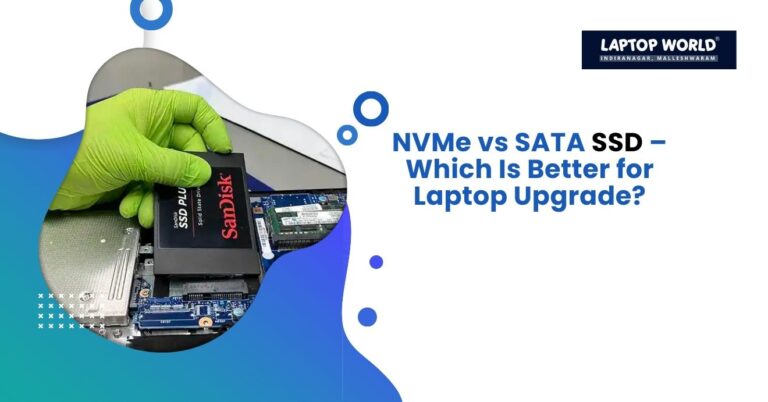
2. SATA vs NVMe: Which SSD Should You Choose?
The two most common SSD options are SATA and NVMe. They differ in connectivity, speed, and compatibility.
SATA SSD
A SATA SSD uses the same interface traditionally found in laptop hard drives.
It is a practical replacement for older HDD-based laptops.
- Maximum theoretical interface speed is approximately 600 MB/s.
- Suitable for everyday browsing, office applications, and general computing.
- Available in 2.5-inch and certain M.2 form factors.
NVMe SSD
NVMe SSDs use PCIe connectivity and generally offer much higher transfer speeds.
- PCIe Gen 3 drives can reach approximately 3,500 MB/s.
- PCIe Gen 4 drives can reach approximately 7,000 MB/s or higher, depending on the model.
- Suitable for professionals who handle large files, including developers and content creators.
Which offers better value?
If your laptop currently uses an HDD, even a SATA SSD can deliver a substantial improvement. However, if your laptop supports NVMe, compare the price difference before deciding.
There is little value in paying extra for a high-speed Gen 4 SSD if your laptop only supports Gen 3.
Also, remember that an M.2 SSD is not automatically an NVMe drive. M.2 describes its physical form factor. The interface and protocol determine compatibility.

What Factors Affect SSD Upgrade Prices?
Two laptops may require completely different budgets, even when both need 512GB of additional storage.
Here are the factors that influence the final quotation.
1. Storage capacity
A 256GB SSD costs less than a 1TB or 2TB model. However, choosing the smallest drive can become inconvenient if you regularly work with large files.
For most students and office professionals, 512GB is a sensible starting point. Video editors, developers, and gamers may benefit from 1TB or more.
2. SSD brand and warranty
Products from brands like Samsung, Crucial, Kingston, and Western Digital may have different prices.
Compare warranty periods, endurance ratings (TBW), and manufacturer support. A cheaper SSD without dependable warranty coverage may not offer the best long-term value.
3. Installation complexity
While some laptops have easily accessible storage compartments, others require removing the bottom panel, battery connections, or additional internal components.
Thin-and-light laptops can require more careful handling. This can affect labour charges.
4. Data migration
If you want your existing Windows installation, applications, and files transferred, you may need a cloning service.
Cloning can involve additional equipment and labour. Besides, the source drive must also be readable, and the data must fit on the new SSD.
Are There Any Additional Charges?
The SSD price is not always the final amount you pay.
Before approving a laptop SSD upgrade, ask whether the quotation includes:
| Service | Indicative additional cost |
| SSD installation | ₹300–₹1,000 |
| Operating system installation | ₹500–₹1,000 |
| Data cloning | ₹500–₹1,500 |
| External SSD enclosure | ₹500–₹1,500 |
These are indicative service budgets, not fixed tariffs. Some providers bundle installation and migration, while others charge separately.
One important point: Windows installation and data cloning are different services. A fresh installation gives you a clean operating system, while cloning attempts to transfer your existing installation.
If your old drive is failing, cloning may not work reliably. Therefore, back up important files before handing over your laptop.
How to Check Whether Your Laptop Supports an SSD Upgrade
Don’t purchase an SSD before checking your laptop’s specifications.
Follow these steps:
- Find the exact model number.
- Visit the manufacturer’s support website.
- Check the service manual or technical specifications.
- Look for supported storage interfaces and available slots.
- Confirm the maximum supported capacity, if specified.
You should also check whether your laptop has an occupied M.2 slot, an available second slot, or a 2.5-inch SATA bay.
Some newer laptops have soldered storage. These machines generally do not support conventional SSD replacement.
If you are unsure, get the device inspected before purchasing a component.
Is an SSD Upgrade Better Than Buying a New Laptop?
This depends on the condition of your existing machine.
Consider upgrading if:
- Your processor still handles your daily workload.
- Your laptop has at least 8GB RAM for your intended tasks.
- The battery and display are in reasonable condition.
- Your main problem is slow storage.
- The upgrade costs considerably less than replacement.
Laptop World has discussed this decision in SSD Upgrade vs Buying a New Laptop.
Where Can You Get Help With an SSD Upgrade in Bangalore?
Choosing the right component is only half the job. You also need accurate compatibility information and careful installation.
At Laptop World, we offer laptop-related products and in-store repair and maintenance support. Our team can help you understand laptop options and available services.
Contact us to enquire about your laptop’s upgrade requirements.