How to Negotiate Laptop Price in Offline Stores (Real Tips)
Learn real tips to negotiate laptop price in a laptop store in Malleshwaram and get the best deals with smart offline buying strategies
Buying a laptop from an offline store still feels very “Indian market core”: you walk in, talk to the salesperson, compare models, and often walk out with a “special price” if you negotiate well. But here’s the truth: most buyers either overpay or don’t negotiate at all simply because they don’t know how to do it.
If you’re planning to buy from a laptop store in Malleshwaram, this guide will help you negotiate confidently, save money, and avoid common traps.
Why Offline Laptop Prices Are Flexible (Not Fixed)
Unlike online platforms with fixed pricing, offline laptop stores often have margin flexibility. This means the quoted price usually includes room for negotiation.
In most Indian electronics markets, sellers typically keep a small buffer so they can offer discounts when asked. Research shows offline pricing often includes negotiable margins of around 5-10%, depending on demand and stock availability.
In simple terms:
- The first price you hear is rarely the final price
- Discounts are expected in many offline markets
- Your negotiation skills directly impact what you pay
1. Always Research Online Before Visiting the Store
This is your strongest bargaining weapon.
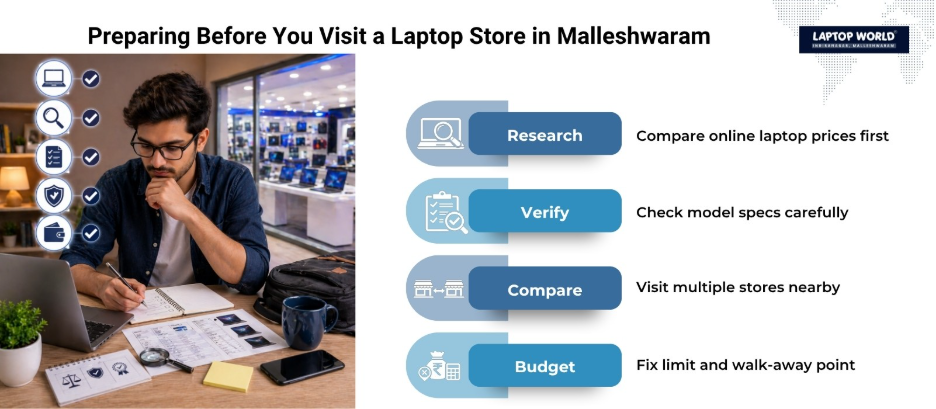
Before visiting a laptop store in Malleshwaram, do this:
- Check the exact model number on e-commerce stores or brand websites
- Note the lowest available price (with bank offers included)
- Understand the specifications clearly
When you walk in with real price awareness, you immediately gain credibility. Sellers respond better when they know you’re informed.
Even offline buyers who compare prices beforehand often negotiate significantly better deals.
2. Visit at Least 2-3 Stores Before Deciding
Never buy from the first shop you enter.
In areas like Malleshwaram, different stores may quote different prices for the same laptop due to:
- Stock availability
- Brand tie-ups
- Local competition
Walking into multiple stores gives you leverage. You can literally say:
“Another store nearby is offering this at a lower price.”
That single sentence often triggers an instant discount or bonus offer.
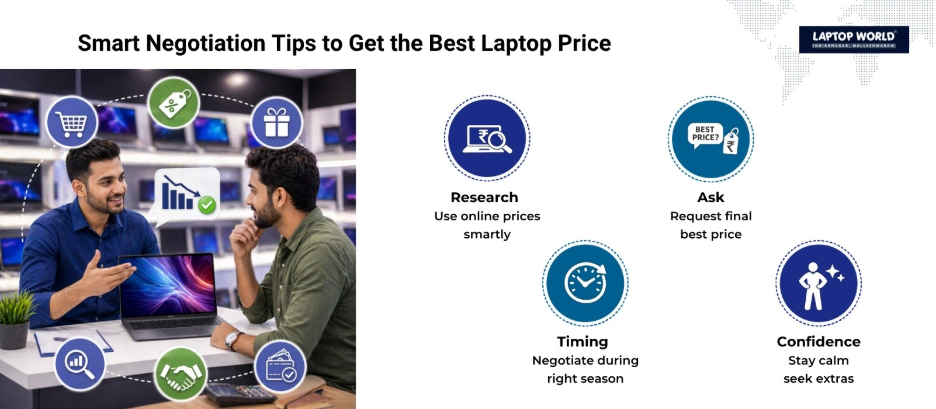
3. Use Online Price as Your Negotiation Anchor
One of the most effective offline bargaining techniques is referencing online pricing.
Instead of arguing emotionally, stay factual:
- Show screenshot of the exact model price
- Include bank discounts if applicable
- Mention delivery price comparison
Example:
“Online, it’s showing ₹52,000 after offers. What’s your best offline price for immediate purchase?”
This shifts the conversation from guesswork to comparison, and sellers usually respond with better offers or add-ons.
4. Don’t Start by Asking for a Discount, Ask for the Final Price
A common mistake is saying:
“Can you give me a discount?”
Instead, say:
“What’s your final best price for this model today?”
Why this works:
- Forces the seller to reveal the actual margin
- Removes vague negotiation tactics
- Makes the conversation more direct
Many offline buyers don’t realize that stores often expect this question as part of the buying process.
5. Use Timing to Your Advantage
Timing plays a bigger role than most people think.
Best times to negotiate:
- Month-end (sales targets pressure)
- Festival season clearance
- New model launches (old stock needs to move)
Worst times:
- High-demand launch periods
- Low-stock scenarios
If you’re buying from a laptop store in Malleshwaram, visiting during slower weekdays can also improve negotiation success.
6. Don’t Just Ask for a Price Cut, Ask for Bundles
Even if the price doesn’t drop much, you can still save money.
Instead of pushing only for discounts, ask for:
- Laptop bag
- Mouse
- Extended warranty
- Antivirus subscription
- Free installation or setup
Stores often prefer adding freebies instead of reducing price because it protects their margin while still making you feel like you got a deal.
7. Show Confidence but Stay Respectful
Negotiation is not about aggression; it’s about clarity.
Effective approach:
- Be calm and polite
- Don’t look desperate
- Be willing to walk away
If a seller senses urgency, negotiation power reduces instantly. On the other hand, confidence signals that you have options.
Community experiences consistently show that walking away often leads to a better final offer.
8. Understand When Not to Negotiate Too Hard
Not every deal is heavily flexible.
Be realistic when:
- Buying high-demand gaming laptops
- Choosing brand-exclusive models (Apple, premium Dell, etc.)
- Stock is limited in store
Some stores have tight margins, and pushing too hard may not work. In such cases, focus on freebies instead of deep discounts.
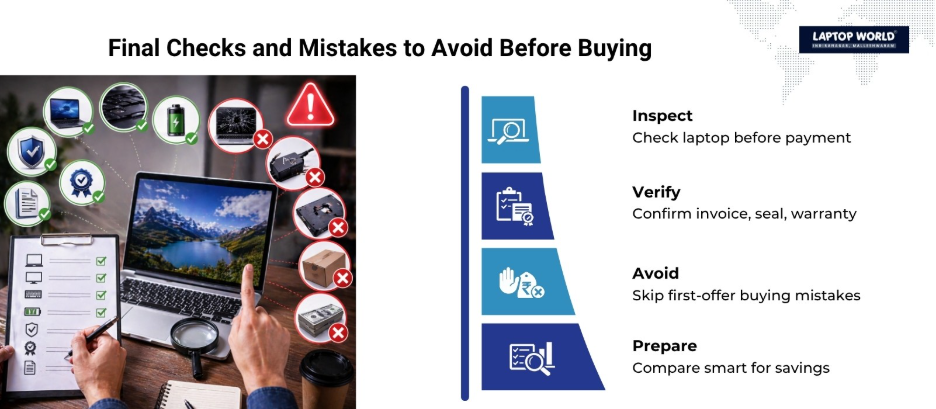
9. Check the Laptop Carefully Before Paying
Before final billing:
- Verify model number matches invoice
- Check the seal and packaging
- Inspect the display and keyboard
- Confirm warranty activation details
Once billed, returns or exchanges become complicated in many offline setups.
10. Know Your Walk-Away Point
This is the most underrated negotiation skill.
Before entering a laptop store in Malleshwaram, decide:
- Maximum budget
- Minimum acceptable discount or value
- Whether extras can replace price cuts
If the deal doesn’t match your expectations, be ready to walk out. In many cases, the final discount comes after you show intent to leave.
Common Mistakes to Avoid While Negotiating
Avoid these mistakes:
- Showing too much excitement for one laptop
- Not knowing the online price beforehand
- Accepting the first “best offer”
- Ignoring hidden costs (software, accessories, GST differences)
Even experienced buyers sometimes overpay because they skip basic research.
Final Thoughts
Negotiating in an offline store is not about bargaining aggressively; it’s about preparation, confidence, and timing. Whether you’re visiting a branded showroom or a laptop store in Malleshwaram, your biggest advantage is information.
When you combine:
- Online price awareness
- Multiple store comparison
- Calm negotiation approach
- Smart timing
…you naturally get better deals without awkward bargaining.
A good laptop purchase isn’t just about finding the right machine; it’s also about making sure you didn’t pay more than you should have.
About Laptop World
With 20 years of experience in Retail, Laptop World is Bangalore’s oldest multi-brand laptop store in Malleshwaram, offering a personalized customer experience. We are unbiased towards any particular brand, dealing with top names like HP, Lenovo, Dell, Asus, and Apple. Our commitment to excellent customer service sets us apart.
For businesses, our corporate division, Nurture IT, in Indiranagar, provides comprehensive IT solutions tailored for startups, ensuring all your IT needs are met in one place. From laptops to networking, servers, Information Security, End User Protection – we have you covered.
FAQs
1. Can we really negotiate prices in a laptop store in Malleshwaram?
Yes, most offline stores have flexible pricing. Unlike online platforms, sellers often include a margin that allows room for negotiation, especially if you compare prices or show intent to buy immediately.
2. What is the best way to negotiate laptop prices offline?
The most effective way is to research online prices beforehand, visit multiple stores, and ask for the “final best price” instead of directly asking for a discount. Using real price comparisons gives you strong bargaining power.
3. How much discount can I expect in an offline laptop store?
Typically, you can expect around a 5-10% discount depending on the brand, demand, and store margins. In some cases, you may also get additional freebies instead of direct price cuts.
4. Is it better to buy a laptop online or from an offline store?
Both have advantages. Online platforms may offer lower prices during sales, while a laptop store in Malleshwaram provides hands-on experience, instant purchase, and better scope for negotiation and bundled offers.
5. What should I check before buying a laptop from an offline store?
You should verify the model number, check the seal and packaging, inspect the laptop physically, and confirm warranty details before making the payment.