How to Identify Fake or Low-Quality Laptop Parts Before Buying (Laptop Buying Guide)
Learn how to identify fake or low-quality laptop parts before buying. This laptop buying guide helps you avoid scams and choose genuine components.
Buying a laptop or upgrading its components can be a big investment. Unfortunately, the market is filled with counterfeit and low-quality parts that can harm performance, reduce lifespan, and even damage your device. In this laptop buying guide, we will help you identify fake or substandard laptop parts so you can make informed decisions and protect your investment.
Why Identifying Genuine Laptop Parts Matters
Laptop components like RAM, SSDs, batteries, chargers, and screens directly impact performance and safety. Therefore, poor-quality or counterfeit parts can lead to:
- Frequent system crashes
- Overheating or fire hazards (especially with batteries and chargers)
- Data loss or corruption
- Reduced device lifespan
- Voided manufacturer warranties
Being aware of these risks makes it critical to verify authenticity before purchasing.
Common Laptop Parts That Are Frequently Counterfeited
Understanding which components are most commonly faked helps you stay alert:
- Laptop batteries – Often replaced with substandard cells
- Chargers and adapters – Fake ones may not regulate voltage properly
- RAM modules – Mislabelled capacity or speed
- SSDs and HDDs – Fake storage sizes or reused drives
- Display panels – Low-resolution panels sold as high-end
- Keyboards and trackpads – Poor build quality replacements
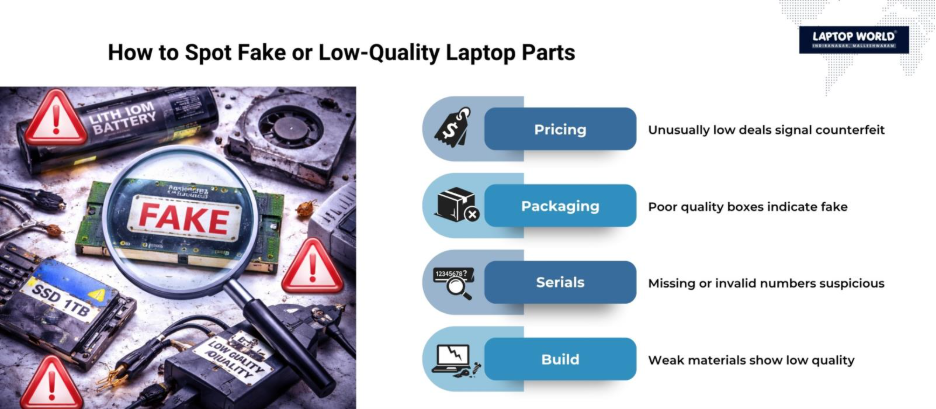
Key Signs of Fake or Low-Quality Laptop Parts
1. Unusually Low Prices
If a deal seems too good to be true, it probably is. Genuine components have standard market pricing. Deep discounts without clear reasons are a major red flag.
2. Poor Packaging Quality
Original parts usually come in well-designed packaging with:
- Brand logos
- Serial numbers
- Barcodes
- Anti-tamper seals
Fake products often have spelling errors, faded printing, or flimsy packaging.
3. Missing or Invalid Serial Numbers
Authentic parts come with traceable serial numbers. You can often verify these on the manufacturer’s official website.
- No serial number = suspicious
- Duplicate or unrecognized serial number = likely counterfeit
4. Inconsistent Branding
Check for:
- Slight logo variations
- Incorrect fonts
- Misaligned labels
Counterfeiters often replicate branding poorly.
5. Substandard Build Quality
Low-quality parts may feel:
- Lightweight or fragile
- Poorly finished (rough edges, loose connectors)
- Made with inferior materials
For example, fake chargers often have thinner cables and weaker plugs.
How to Verify Laptop Parts Before Buying
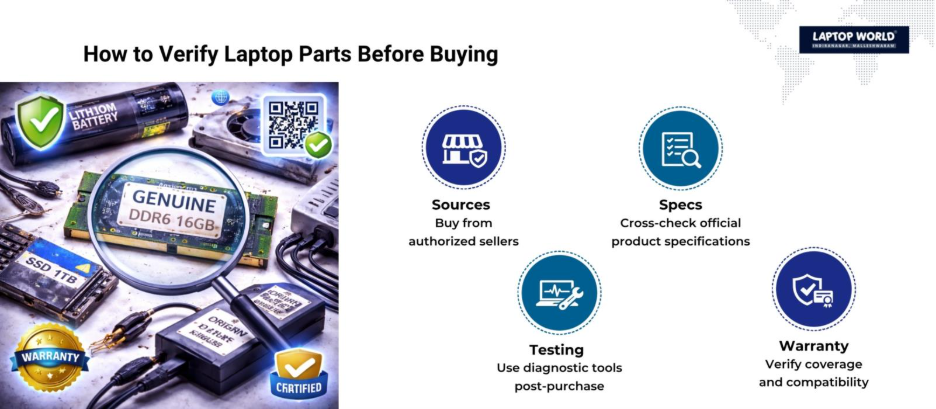
Buy from Authorized Sellers
Always prefer:
- Official brand stores
- Certified dealers
- Reputable e-commerce platforms with verified sellers
Avoid unknown third-party sellers offering heavy discounts.
Cross-Check Specifications
Compare product specs with official listings:
- RAM speed (MHz)
- Storage capacity (GB/TB)
- Voltage ratings (for batteries and chargers)
Mismatch in specifications is a warning sign.
Use Diagnostic Tools
After purchase, you can verify authenticity using software tools:
- For SSDs/HDDs: Check actual storage capacity
- For RAM: Use system diagnostics to confirm speed and size
Fake storage devices often display higher capacity than they actually provide.
Check Manufacturer Warranty
Genuine parts typically come with:
- Manufacturer warranty
- Warranty cards or digital verification
If a seller avoids warranty discussions, proceed cautiously.
Component-Specific Tips
Laptop Batteries
- Check voltage and capacity ratings carefully
- Avoid batteries without certification labels
- Look for overheating issues after installation
Low-quality batteries can swell or leak, which is dangerous.
Laptop Chargers
- Verify output voltage and current ratings
- Check for proper insulation and weight
- Avoid chargers that heat up excessively
Incorrect chargers can damage the motherboard.
RAM Modules
- Confirm speed (e.g., DDR4 3200MHz)
- Check brand authenticity through software tools
- Look for consistent labeling
Fake RAM may show incorrect capacity in BIOS vs actual usage.
SSDs and Hard Drives
- Use benchmarking tools to verify speed
- Check actual storage capacity
- Avoid unbranded or unknown manufacturers
Some counterfeit SSDs are modified USB drives with fake labels.
Laptop Screens
- Verify resolution (Full HD, 4K, etc.)
- Check brightness and color accuracy
- Inspect for dead pixels or uneven lighting
Low-quality panels may appear dull or grainy.
Red Flags When Buying Online
Online marketplaces are convenient but require caution. Watch out for:
- Sellers with low ratings or no reviews
- Generic product descriptions
- Lack of clear product images
- No return or replacement policy
Always read customer reviews carefully, especially those mentioning performance issues.
Offline Buying Tips
When purchasing from a physical store:
- Inspect the product before payment
- Ask for a bill with GST details
- Request warranty documentation
- Compare with the original parts if possible
A trustworthy retailer will not hesitate to provide product verification.
Importance of Compatibility
Even genuine parts can cause issues if they are incompatible with your laptop.
Check:
- Supported RAM type and maximum capacity
- Storage interface (SATA vs NVMe)
- Battery model compatibility
- Charger wattage requirements
Compatibility is just as important as authenticity.
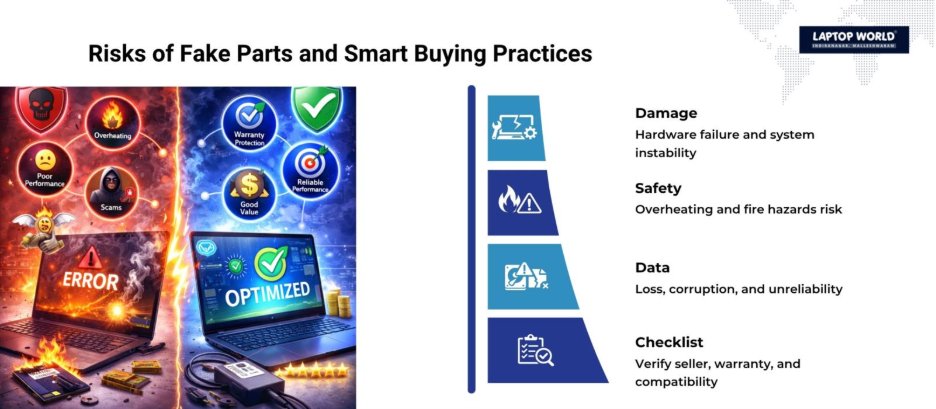
Risks of Using Fake Laptop Parts
Using counterfeit components can lead to serious consequences:
- Hardware damage: Incorrect voltage can harm internal circuits
- Data loss: Faulty storage devices can corrupt files
- Safety hazards: Poor batteries and chargers may cause fires
- Performance issues: Slower speeds and frequent crashes
These risks make it critical to verify every component before purchase.
Smart Buying Checklist
Before finalizing your purchase, follow this checklist:
- Verify seller credibility
- Compare prices across platforms
- Check product reviews
- Inspect packaging and labeling
- Validate serial numbers
- Confirm warranty coverage
- Test performance after installation
Following this process helps minimize the chances of buying fake or low-quality parts.
Final Thoughts
The laptop parts market can be confusing, especially with the presence of counterfeit products. By staying informed and following a structured approach, you can protect your device and your investment.
In this laptop buying guide, we provide practical steps to identify fake or low-quality components, from checking packaging and pricing to verifying performance and compatibility. Paying attention to these details can save you from costly mistakes and help maintain your laptop’s efficiency and longevity.
About Laptop World
With 20 years of experience in Retail, Laptop World is Bangalore’s oldest multi-brand laptop store in Malleshwaram, offering a personalized customer experience. We are unbiased towards any particular brand, dealing with top names like HP, Lenovo, Dell, Asus, and Apple. Our commitment to excellent customer service sets us apart.
For businesses, our corporate division, Nurture IT, in Indiranagar, provides comprehensive IT solutions tailored for startups, ensuring all your IT needs are met in one place. From laptops to networking, servers, Information Security, End User Protection – we have you covered.
FAQs
1. How can I check if my laptop part is original?
You can verify serial numbers on the manufacturer’s website, inspect packaging quality, and use diagnostic tools to confirm specifications.
2. Are cheaper laptop parts always fake?
Not always, but significantly lower prices compared to market rates are often a warning sign.
3. Can fake laptop parts damage my device?
Yes, especially batteries and chargers, which can cause overheating, hardware damage, or safety hazards.
4. Is it safe to buy laptop parts online?
Yes, if you purchase from reputable platforms and verified sellers with good reviews and return policies.
5. What should I do if I receive a counterfeit product?
Contact the seller immediately, request a return or refund, and report the issue to the platform.