i5 vs i7 vs Ryzen: Which Processor is Best for Your Use Case?
Compare i5 vs i7 vs Ryzen processors based on performance, gaming, and productivity. Find the best CPU for your needs with this detailed guide.
Choosing the right processor can feel confusing, especially when comparing i5 vs i7 vs Ryzen. These CPUs power everything from budget laptops to high-end workstations, but the best choice depends heavily on how you use your system.
In this guide, we’ll break down the differences in simple terms, compare performance, and help you decide which processor fits your needs.
What Do i5, i7, and Ryzen Actually Mean?
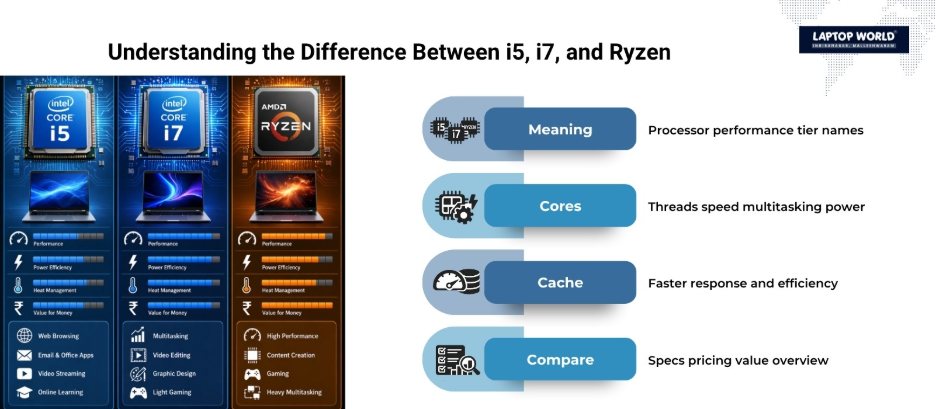
Before comparing, it’s important to understand the naming:
- Intel Core i5: Mid-range processors designed for everyday performance
- Intel Core i7: High-performance processors built for demanding tasks
- AMD Ryzen (Ryzen 5 / Ryzen 7): The competing lineup from AMD delivers high performance and exceptional value.
These labels represent performance tiers, not exact performance. A newer i5 can outperform an older i7 due to architectural improvements.
Key Differences: i5 vs i7 vs Ryzen
The real differences come down to cores, threads, clock speeds, and efficiency.
1. Core Count & Multitasking
- i5: Typically 6–10 cores, suitable for general tasks
- i7: Usually 8–16 cores, better for heavy multitasking
- Ryzen 5: Around 6 cores / 12 threads
- Ryzen 7: Higher core/thread counts for productivity
More cores = better performance in multitasking, video editing, and rendering.
2. Performance
- i5: Great for daily use and moderate gaming
- i7: Faster in demanding applications and high-end gaming
- Ryzen: Strong multi-core performance, often better value
For example, Ryzen processors often perform competitively in multi-threaded tasks like coding or rendering, while i7 may lead in single-core performance.
3. Cache & Speed
- i7 processors have larger cache and higher clock speeds, which improve responsiveness
- Ryzen chips often offer large cache sizes, which boost performance in certain workloads
4. Power Consumption
- i5: More power-efficient, better battery life
- i7: Higher power usage due to performance boost
- Ryzen: Efficient balance depending on model
i5 vs i7 vs Ryzen: Comparison Table
| Feature | Intel Core i5 | Intel Core i7 | AMD Ryzen (5/7) |
| Performance Tier | Mid-range | High-end | Mid to high-end |
| Core Count | 6–10 cores | 8–16 cores | 6–16 cores |
| Multitasking | Good | Excellent | Excellent |
| Gaming | Very good | Best for high-end gaming | Very good |
| Content Creation | Moderate | Excellent | Excellent (especially multi-core) |
| Power Efficiency | High | Moderate | Good |
| Price | Affordable | Expensive | Competitive |
Performance by Use Case
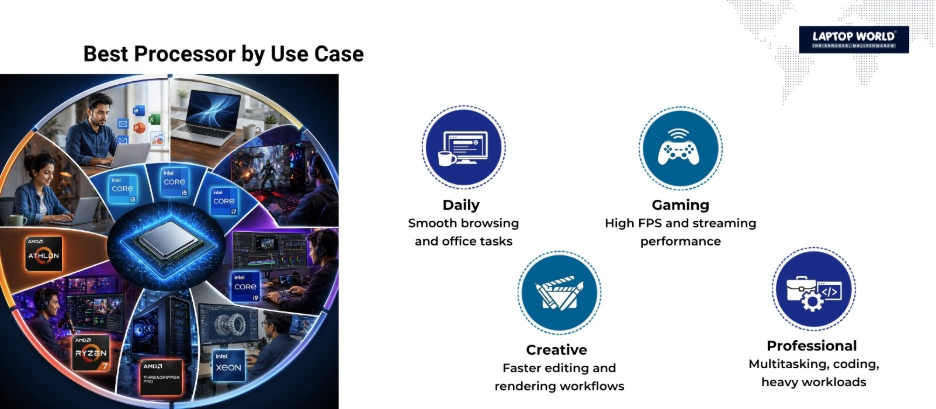
1. Everyday Use (Browsing, Office Work)
If your tasks include:
- Web browsing
- Microsoft Office
- Streaming
Best choice: Intel Core i5 or Ryzen 5
These processors deliver smooth performance without unnecessary cost. Most users won’t notice a difference beyond this level.
2. Gaming
Gaming performance depends on both CPU and GPU.
- i5: Handles most modern games well
- i7: Better for high FPS gaming and streaming
- Ryzen: Strong competitor, especially in multi-task gaming
In GPU-heavy games, the difference between CPUs is often small.
Best choice:
- Budget gaming → i5 / Ryzen 5
- Competitive gaming → i7
3. Content Creation (Video Editing, 3D Work)
These tasks rely heavily on cores and threads:
- i7 excels in video editing and rendering
- Ryzen performs strongly in multi-threaded workloads
- i5 may struggle with heavy projects
Best choice: i7 or Ryzen 7
4. Programming & Development
- i5: Good for light coding
- i7: Faster compile times and multitasking
- Ryzen: Great for parallel workloads
Best choice: Ryzen 5/7 or i7
5. Heavy Multitasking & Professional Work
If you:
- Run multiple apps simultaneously
- Work with large datasets
- Use virtual machines
Best choice: i7 or Ryzen 7
Higher core counts make a significant difference here.
i5 vs i7 vs Ryzen: Pros and Cons
Intel Core i5
Pros
- Affordable
- Power-efficient
- Great for most users
Cons
- Limited for heavy workloads
Intel Core i7
Pros
- High performance
- Excellent multitasking
- Better for professionals
Cons
- Expensive
- Higher power consumption
AMD Ryzen (5 & 7)
Pros
- Strong multi-core performance
- Competitive pricing
- Great for productivity
Cons
- Slightly weaker single-core performance (in some cases)
Beyond Specifications: What Actually Impacts Real-World Performance?
When comparing i5 vs i7 vs Ryzen, many buyers focus solely on core counts and clock speeds. While these specifications matter, they don’t always tell the complete story. Several other factors influence how a processor performs in everyday situations.
Intel’s newer Core i5 and i7 processors often feature Intel Iris Xe or Intel UHD Graphics, while AMD offers integrated graphics on select Ryzen models, particularly those ending with the “G” designation.
For users who primarily browse the web, attend video meetings, watch high-resolution content, or perform light photo editing, integrated graphics are often sufficient. Therefore, investing in a more expensive processor solely for graphics performance may not provide additional benefits unless gaming, video production, or 3D design is part of the workflow.
Thermal Performance and Sustained Workloads
Processor performance isn’t just about peak speeds; it’s also about how long those speeds can be maintained.
During demanding tasks, processors generate substantial heat. Therefore, systems with inadequate cooling may experience thermal throttling, where the CPU automatically reduces performance to control temperatures.
This is particularly relevant when comparing laptops. A high-end i7 inside a thin ultrabook may not always outperform a well-cooled Ryzen 7 or even a newer i5 under prolonged workloads. The cooling system, chassis design, and power delivery can significantly influence real-world results.
Platform Longevity and Upgrade Potential
Another factor often overlooked is the platform surrounding the processor.
Desktop users may benefit from considering future upgrade paths. AMD has earned recognition for supporting processor upgrades across multiple motherboard generations. However, Intel platforms, depending on the generation, may require motherboard changes more frequently.
For businesses, students, and enthusiasts planning to extend system life over several years, platform compatibility can have a noticeable impact on long-term costs.
AI and Modern Computing Workloads
As software evolves, processors are increasingly handling AI-assisted tasks directly on the device.
Recent generations of both Intel and AMD processors have introduced architectural improvements designed to accelerate these workloads. While AI capabilities may not be a primary purchasing factor today for every user, they are becoming increasingly relevant for professionals working with creative applications, productivity suites, and development environments.
Therefore, choosing a newer processor generation can sometimes provide more value than moving to a higher performance tier from an older generation.
Why Benchmarks Don’t Always Match Your Experience
Synthetic benchmark scores provide useful comparisons, but they cannot perfectly represent individual usage patterns.
A video editor, software developer, gamer, and office user may all experience different performance outcomes from the same processor. This is why the best processor is not necessarily the one with the highest benchmark score. It is the one that aligns most closely with the applications and workloads you use every day.
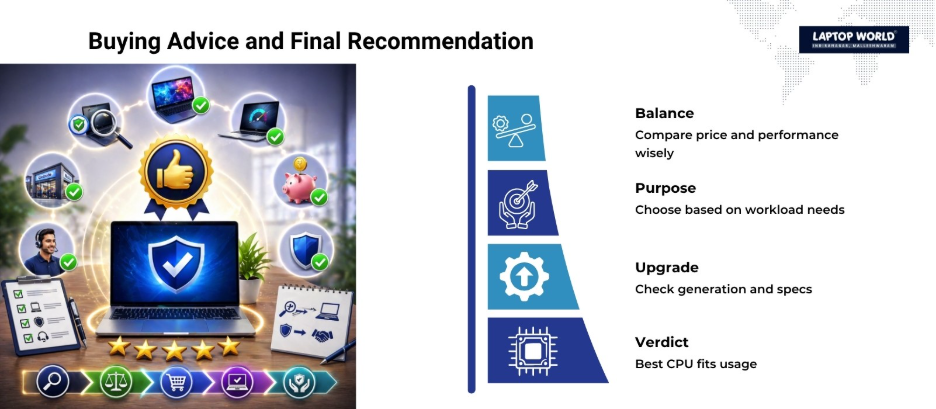
Important Buying Tips
When comparing i5 vs i7 vs Ryzen, don’t rely only on the name:
1. Check the Generation
A newer i5 can outperform an older i7.
2. Look at Benchmarks
Real-world performance varies by model.
3. Consider Your Budget
i7 may not be worth it for basic tasks.
4. Balance with GPU & RAM
CPU alone doesn’t define performance.
Which Processor Should You Choose?
Here’s a quick summary:
- Choose i5 if you want value and solid everyday performance
- Choose i7 if you need power for gaming, editing, or professional work
- Choose Ryzen if you want strong multi-core performance at a competitive price
Final Verdict
When it comes to i5 vs i7 vs Ryzen, there’s no single “best” processor, only the best for your specific use case.
- For most users, i5 or Ryzen 5 is more than enough
- For professionals and power users, i7 or Ryzen 7 delivers superior performance
- For budget-conscious buyers, Ryzen often offers better value
The smartest choice is to match your processor with your actual workload rather than chasing higher numbers.
Upgrade Your Tech with Laptop World in Malleshwaram
Looking for reliable laptop upgrades, repairs, or expert guidance? Laptop World is your go-to destination for all things laptops.
Whether your system is slowing down, overheating, or struggling with modern applications, our experienced technicians provide quick diagnostics and practical solutions tailored to your needs. From RAM and SSD upgrades to complete performance optimization, we help extend your laptop’s lifespan without the cost of a new device. Visit our store today!
About Laptop World
With 20 years of experience in Retail, Laptop World is Bangalore’s oldest multi-brand laptop store in Malleshwaram, offering a personalized customer experience. We are unbiased towards any particular brand, dealing with top names like HP, Lenovo, Dell, Asus, and Apple. Our commitment to excellent customer service sets us apart.
For businesses, our corporate division, Nurture IT, in Indiranagar, provides comprehensive IT solutions tailored for startups, ensuring all your IT needs are met in one place. From laptops to networking, servers, Information Security, End User Protection – we have you covered.
FAQs
1. Is i7 always better than i5?
Generally yes, but only within the same generation. Newer i5 chips can outperform older i7 models.
2. Is Ryzen better than Intel?
It depends. Ryzen often excels in multi-core performance, while Intel can lead in single-core speed.
3. Which is better for gaming: i5 or Ryzen?
Both are excellent. The GPU matters more in most games.
4. Do I need i7 for everyday use?
No. i5 or Ryzen 5 is sufficient for daily tasks.
5. Which processor lasts longer?
Higher-end CPUs like i7 or Ryzen 7 may remain relevant longer due to extra cores.