Laptop Buying Guide 2026: How to Choose the Right Device Based on Your Work Style
Buying a laptop in 2026 feels very different from buying one even three years ago. The market is packed with AI-powered processors, ultra-light productivity machines, gaming-performance hybrids, long-battery business devices, and creator-focused systems. At the same time, work itself has changed dramatically. Students attend hybrid classes, startups run entire operations remotely, and professionals work from cafés, coworking spaces, airports,…
Buying a laptop in 2026 feels very different from buying one even three years ago. The market is packed with AI-powered processors, ultra-light productivity machines, gaming-performance hybrids, long-battery business devices, and creator-focused systems. At the same time, work itself has changed dramatically. Students attend hybrid classes, startups run entire operations remotely, and professionals work from cafés, coworking spaces, airports, and home offices.
That’s why a modern laptop buying guide can no longer recommend the same device for everyone. The right laptop depends on how you work, where you work, and what kind of workload you handle every day.
A graphic designer editing 4K videos needs something completely different from a college student attending online lectures. A startup founder managing operations while traveling requires portability and battery life, while a software developer may prioritize performance and multitasking power.
In this laptop buying guide, we help you understand exactly what matters in 2026 and how to choose a device that fits your work style without overspending on features you may never use.
Why Work Style Matters More Than Specs Alone
For years, buyers focused only on specifications like RAM, processor generation, or storage capacity. Those things still matter, but user behavior now plays an equally important role.
Two people can buy laptops with identical specifications and have completely different experiences because their daily usage patterns differ.
Here’s what modern buyers should evaluate first:
- How many hours do you work daily?
- Do you travel frequently?
- Do you multitask heavily?
- Do you use creative software?
- Is battery life critical?
- Do you attend virtual meetings often?
- Do you need gaming-level graphics power?
- Do you prefer portability over performance?
Once you answer these questions, choosing the right laptop becomes much easier.
Best Laptop Choices Based on Work Style
Laptops for Students
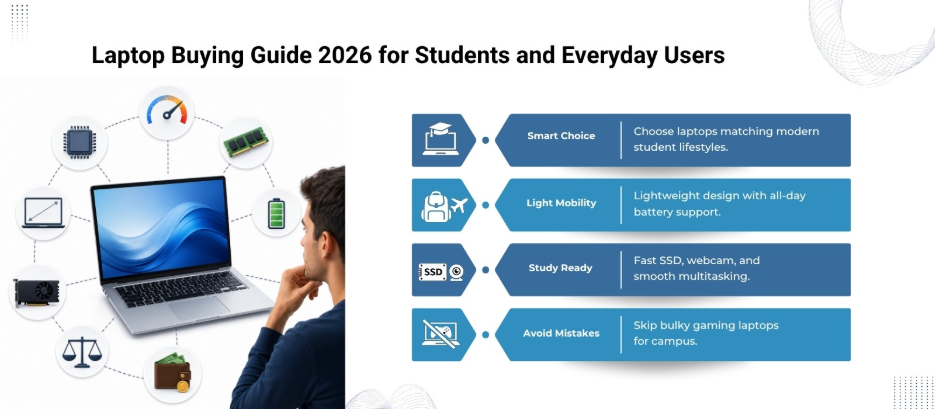
Students remain one of the biggest laptop-buying groups in 2026, but student needs are no longer basic. Modern education depends heavily on digital platforms, AI-assisted learning tools, collaboration software, and cloud-based assignments.
What Students Should Prioritize
Lightweight Design
Students carry laptops across campuses, libraries, hostels, and classrooms. Devices under 1.5 kg are now highly preferred.
Long Battery Life
A laptop should comfortably last an entire academic day without constant charging. Most good student laptops in 2026 now offer 10-12 hours of real-world battery life.
Fast SSD Storage
Traditional hard drives are practically obsolete in modern laptops. SSD storage improves boot speed, app loading, and overall responsiveness.
Good Webcam and Microphone
Hybrid learning and online presentations make camera quality surprisingly important.
Recommended Specs for Students
- Processor: Intel Core Ultra 5 / AMD Ryzen 5 / Apple M-series
- RAM: 16GB preferred
- Storage: 512GB SSD
- Display: Full HD or higher
- Battery: Minimum 10 hours
A Common Mistake Students Make
Many students buy gaming laptops thinking they are “future-proof.” In reality, bulky gaming devices can become frustrating for daily campus use due to weight, heat, and battery limitations.
Laptop World Recommends
- HP Pavilion Plus 14
- Lenovo IdeaPad Slim 5
- ASUS Vivobook S 15
- Apple MacBook Air M4
Laptops for Startup Founders and Entrepreneurs
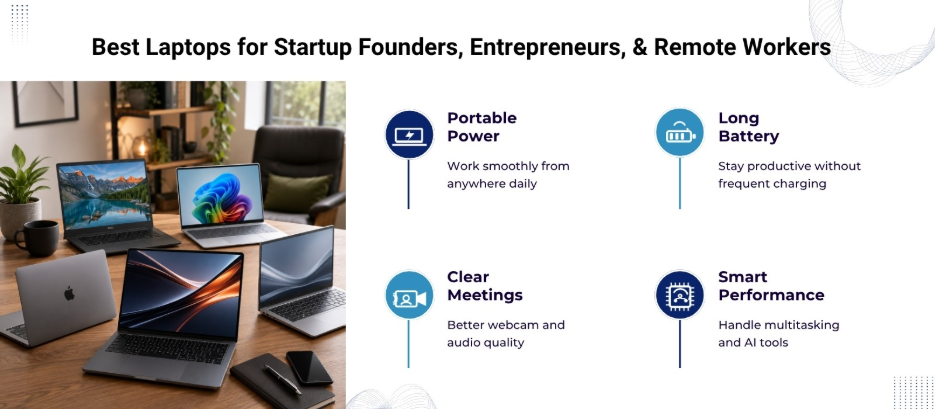
Startup culture in 2026 revolves around flexibility, speed, and mobility. Founders manage communication, presentations, analytics, finances, marketing, and meetings from a single device.
Therefore, a startup laptop needs to function as a portable office.
What Startup Professionals Need Most
Reliability
Unexpected crashes during investor meetings or presentations can be disastrous. Stability matters more than flashy features.
Battery Efficiency
Founders often work outside traditional office setups. Long battery performance reduces dependency on charging stations.
AI Productivity Features
Many 2026 laptops now include built-in AI acceleration for:
- Meeting summaries
- Live transcription
- AI-assisted note-taking
- Smart scheduling
- Workflow automation
Premium Build Quality
Frequent travel demands durable construction. Aluminum chassis models tend to last longer than cheaper plastic builds.
Recommended Specs for Entrepreneurs
- Processor: Intel Core Ultra 7 / Ryzen 7 / Apple M3 or newer
- RAM: 16GB–32GB
- Storage: 512GB SSD or 1TB SSD
- Display: 14-inch or 15-inch anti-glare screen
- Battery: 12+ hours
Laptop World Recommends
- Dell XPS 14
- Lenovo ThinkPad X1 Carbon Gen 13
- HP EliteBook Ultra
- Apple MacBook Pro 14-inch M4 Pro
Laptops for Remote Workers
Remote work is no longer temporary. In 2026, companies across industries have normalized hybrid and fully remote operations. This has shifted laptop priorities significantly.
Features Remote Workers Need
Excellent Video Conferencing Quality |Laptop Buying Guide 2026
Poor webcams and weak microphones negatively affect communication. Many newer laptops now include AI-powered noise cancellation and studio-quality cameras.
Comfortable Keyboard
Remote workers spend long hours typing emails, reports, proposals, and messages. Keyboard comfort directly impacts productivity.
Multiple Connectivity Options
Remote professionals often connect:
- External monitors
- Headphones
- Keyboards
- Docking stations
- Ethernet adapters
Having enough ports remains valuable despite wireless trends.
Thermal Management
Long work sessions can overheat poorly designed laptops. Efficient cooling improves long-term reliability.
Recommended Specs for Remote Professionals
- Processor: Intel Core Ultra 5 or higher
- RAM: 16GB minimum
- Storage: 512GB SSD
- Webcam: 1080p preferred
- Connectivity: USB-C, HDMI, Wi-Fi 7 support
Laptop World Recommends
- Dell Latitude 7450
- HP Spectre x360 14
- Lenovo Yoga 9i
Laptops for Creative Professionals
Designers, video editors, animators, architects, and photographers require much more graphical power than average users.
Performance becomes the top priority here.
What Creators Should Look For
Dedicated Graphics Cards
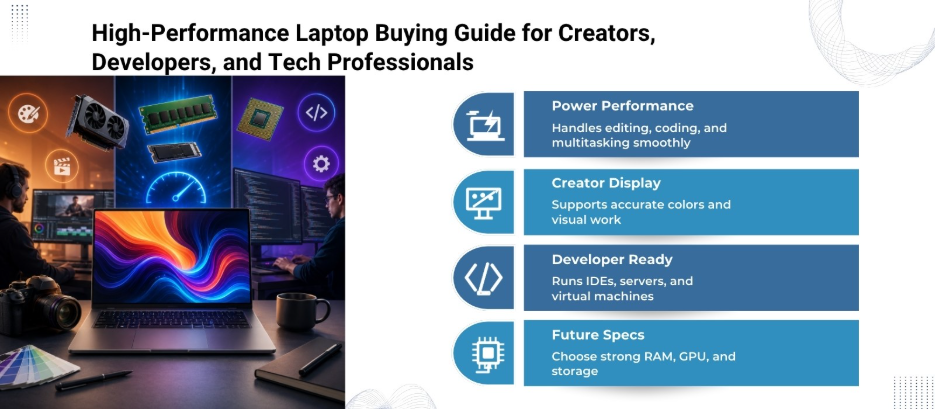
Creative software like Adobe Premiere Pro, Blender, DaVinci Resolve, and AutoCAD depends heavily on GPU acceleration.
Color-Accurate Displays
A high-resolution display with strong color accuracy is critical for visual work.
High RAM Capacity
Creative workflows consume large amounts of memory, especially while multitasking.
Recommended Specs for Creators
- Processor: Intel Core Ultra 9 / Ryzen 9 / Apple Pro-series chips
- GPU: NVIDIA RTX series or equivalent
- RAM: 32GB minimum
- Storage: 1TB SSD or more
- Display: OLED or high-color-accuracy IPS
Laptop World Recommends
- ASUS ProArt P16
- Dell Precision 5690
- Apple MacBook Pro 16-inch M4 Max
- Lenovo Legion Pro 7i
Important Buying Tip
Many creators overspend on processor upgrades while ignoring display quality. For photographers and designers, display accuracy often matters more than raw benchmark scores.
Laptops for Developers and Tech Professionals
Software developers, data analysts, cybersecurity experts, and engineers often run demanding applications simultaneously.
Developer Priorities in 2026
Multitasking Performance
Developers frequently run:
- Virtual machines
- Browsers with dozens of tabs
- Local servers
- IDEs
- Containers
- AI coding assistants
RAM Is More Important Than Most People Think
16GB has become the baseline, while 32GB is increasingly common for heavy development workloads.
Linux Compatibility
Many technical users still prioritize laptops with strong Linux driver support and customizable environments.
Recommended Specs
- Processor: Ryzen 7 / Intel Ultra 7 or higher
- RAM: 32GB ideal
- Storage: 1TB SSD
- Display: QHD preferred
- Cooling: Advanced thermal system
Laptop World Recommends
- Lenovo ThinkPad T14 Gen 6
- Dell XPS 16
- ASUS ROG Zephyrus G16
- MacBook Pro 14-inch M4 Pro
The Biggest Laptop Buying Trends in 2026
Personalized Purchasing
People no longer buy laptops based purely on brand popularity. Buyers now prioritize lifestyle compatibility.
AI-Integrated Productivity
AI-enhanced operating systems and processors are influencing buying decisions heavily.
Hybrid Work Optimization
Manufacturers now design laptops specifically for video calls, remote collaboration, and flexible work environments.
Final Thoughts
The best laptop in 2026 is not necessarily the most expensive one. It is the device that aligns with your workflow, mobility needs, and daily habits. As laptops become smarter, lighter, and more AI-driven, choosing the perfect device in 2026 is less about chasing specifications and more about finding the right fit for your lifestyle.
And Laptop World is here to help you make the right choice. Visit our Malleshwaram store today!
FAQs
1. What is the most important factor in a laptop buying guide for 2026?
The most important factor is your work style. Students, remote workers, startup founders, developers, and creators all require different combinations of performance, portability, battery life, and display quality.
2. How much RAM should a laptop have in 2026?
For most users, 16GB RAM is now the ideal starting point. Professionals handling editing, coding, AI tools, or heavy multitasking should consider 32GB RAM for smoother performance.
3. Are AI-powered laptops worth buying in 2026?
Yes. AI-powered laptops improve battery optimization, video conferencing quality, productivity tools, and multitasking efficiency. They are especially useful for long-term usage.
4. Which laptop is best for students in 2026?
Students should look for lightweight laptops with strong battery life, fast SSD storage, and reliable performance. Devices like the MacBook Air, ASUS Vivobook series, and Lenovo IdeaPad models are popular choices.
5. Should I buy a gaming laptop for office work?
Not necessarily. Gaming laptops offer powerful hardware but are often heavier, louder, and less battery-efficient. Business ultrabooks are usually better for professional productivity and travel.