Laptop Adapter Getting Hot? What Temperature, Noise, and Smell Could Mean
A warm charger is something most laptop users have experienced. You plug in your device, start working, and after a while, the power brick feels noticeably hot. Naturally, the question arises: Is this normal, or is something wrong? The answer depends on more than temperature alone. Laptop adapters convert electrical power from your wall outlet into the…
A warm charger is something most laptop users have experienced. You plug in your device, start working, and after a while, the power brick feels noticeably hot. Naturally, the question arises: Is this normal, or is something wrong?
The answer depends on more than temperature alone. Laptop adapters convert electrical power from your wall outlet into the voltage and current your laptop needs. That conversion process naturally produces heat. However, excessive heat, unusual noises, or a burning smell can indicate a problem that should not be ignored.
Knowing the difference can help you protect both your laptop and yourself.
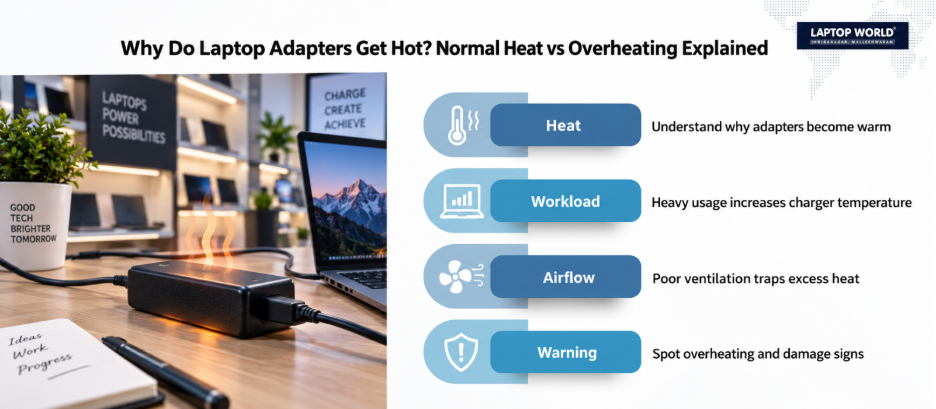
How Hot Should a Laptop Adapter Get?
There is no single temperature that applies to every charger. Different laptop adapters have different power ratings, designs, cooling characteristics, and manufacturer specifications.
For example, Dell states that some AC adapters can reach surface temperatures of up to 60°C (140°F) during operation, which can be normal for the product. Other manufacturers may have different operating characteristics.
So, instead of relying on one universal number, look at the situation as a whole.
Warm is usually normal
An adapter can become warm when:
- Your laptop battery is charging
- You are running demanding applications
- You are gaming or performing heavy workloads
- The laptop requires a high-wattage power supply
- The room temperature is high
- The adapter has limited airflow
ASUS also notes that heat generation during charging is a normal phenomenon.
Excessive heat needs attention
The situation becomes more concerning when the adapter is extremely hot, especially when accompanied by other warning signs.
Stop and investigate if your charger:
- Becomes unusually hot very quickly
- Is difficult to touch comfortably
- Has visible deformation or discolouration
- Produces smoke or sparks
- Emits a burning smell
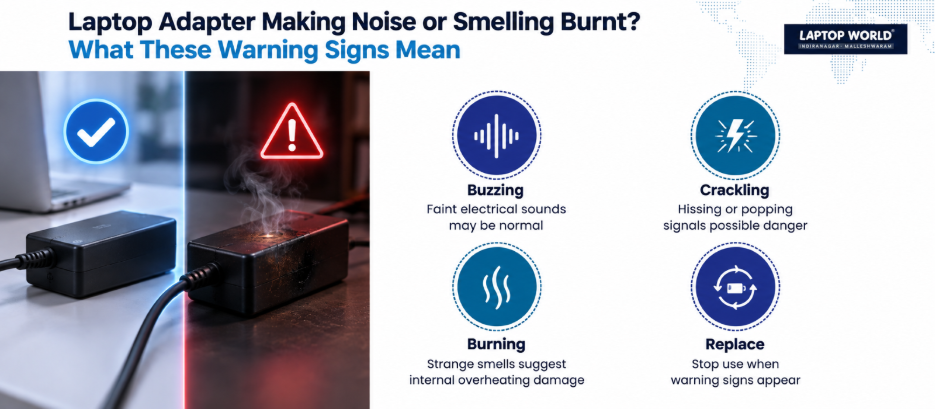
- Makes unusual cracking, hissing, or popping sounds
A charger should never be judged by heat alone. Heat plus another warning sign is far more significant than warmth by itself.
Why Laptop Adapters Get Hot?
Understanding the cause can help you identify whether the problem is environmental, electrical, or related to the adapter itself.
1. The Adapter Is Working Hard
When your laptop is charging and running demanding tasks simultaneously, the power adapter may need to supply substantial power.
Gaming laptops, mobile workstations, and high-performance laptops often use higher-wattage chargers. More power conversion can mean more heat.
This is particularly noticeable when you are:
- Playing games
- Editing videos
- Running design software
- Compiling large programs
- Using external displays and accessories
In these situations, warm laptop adapters are not automatically a sign of failure.
2. Poor Ventilation Is Trapping Heat
Where you place your charger matters.
A power adapter placed under a blanket, pillow, book, sofa, or thick carpet cannot release heat efficiently. Manufacturers including Apple, HP, Dell, and Lenovo advise using adapters in well-ventilated areas and avoiding covering them.
The best place for your adapter is usually a hard, open surface with enough surrounding airflow.
What Does a Noise From Your Laptop Adapter Mean?
Most modern laptop chargers operate quietly. If you suddenly hear a new sound coming from the adapter, pay attention.
A faint electrical buzz may have several causes.
Some power supplies can produce a faint high-frequency sound due to their internal electrical components. However, a sound that is new, loud, persistent, or getting worse deserves attention.
Cracking, hissing, or popping is more serious
These sounds should not be treated as normal background noise.
Lenovo lists cracking, hissing, or popping sounds as conditions that require users to stop using the product.
If you hear these sounds:
- Stop using the adapter.
- Switch off the power source if it is safe to do so.
- Disconnect the charger.
- Allow it to cool.
- Do not open the adapter yourself.
- Have it inspected or replaced.
Opening laptop adapters yourself can expose you to electrical hazards and may not solve the underlying problem.
What Does a Burning Smell Mean?
This is one warning sign you should never ignore.
A strong burning smell can indicate overheating or damage to internal components or insulation. If your adapter smells like:
- Burning plastic
- Melting insulation
- Electrical burning
- Smoke
Disconnect it from power and stop using it.
Check the Cable Too
Sometimes the power brick is not the real problem.
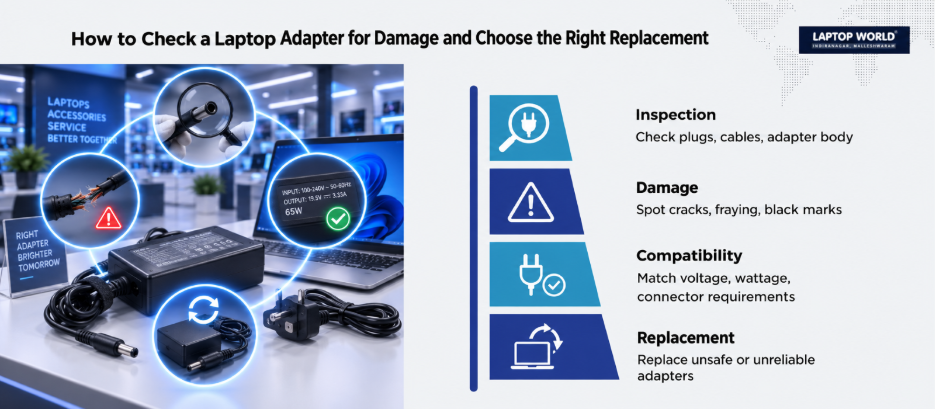
Inspect the entire charging system, including:
- The wall plug
- The AC power cable
- The adapter body
- The DC cable
- The laptop connector
Look for:
- Fraying
- Cracks
- Exposed wiring
- Bent connectors
- Black marks
- Loose plugs
- Melted or discoloured plastic
Damaged cables can create electrical hazards. Lenovo warns against using power adapters or cables showing signs of overheating, damage, or deformation.
If you need a replacement charging solution, Laptop World can help you explore suitable replacement options.
Could the Wrong Adapter Be Causing the Heat?
Yes.
Not all chargers that physically fit a laptop are electrically suitable for it.
Compatibility involves more than the connector shape. Important specifications can include:
- Output voltage
- Maximum current
- Wattage
- Connector type
- USB-C Power Delivery compatibility, where applicable
- Manufacturer-specific power requirements
HP notes that using an adapter with insufficient wattage can lead to slower charging, reduced performance, and a warm adapter. Therefore, always compare the required specifications with your laptop manufacturer’s requirements before replacing.
A Simple Checklist Before You Panic
If your adapter feels hot, go through this checklist.
Step 1: Check where it is placed
Is it covered by anything? Move it to a hard, open surface.
Step 2: Check what your laptop is doing
Are you gaming, rendering video, or running demanding software?
Heavy workloads can increase power demand.
Step 3: Inspect the cable
Look for cracks, exposed wires, or damaged insulation.
Step 4: Check the adapter body
Look for swelling, deformation, black marks, or discolouration.
Step 5: Listen carefully
A new cracking, hissing, or popping sound should not be ignored.
Step 6: Smell the adapter
A burning smell means you should stop using it.
This practical approach is far more useful than simply asking whether the charger feels “hot.”
When Should You Replace Your Laptop Adapter?
Consider replacement or professional inspection when you notice:
- Visible physical damage
- Repeated overheating under normal use
- A burning smell
- Smoke or sparks
- Cracking, hissing, or popping sounds
- Loose or damaged connectors
- Charging that repeatedly cuts in and out
- A charger that stops working unpredictably
Using damaged laptop adapters is not worth the risk to your laptop.
The Bottom Line
A warm laptop charger is often normal. Laptop adapters naturally generate heat while converting electrical power and charging your device.
What matters is the complete picture.
Normal warmth with proper airflow is usually expected. Extreme heat combined with noise, a burning smell, physical damage, smoke, or sparks is a warning sign.
When in doubt, stop using a suspicious adapter and have it inspected or replaced with a properly compatible model. Your charger may be a small accessory, but it plays an important role in protecting your laptop’s power system.
Need a safe, compatible replacement? Visit the Laptop World store today for genuine chargers and expert advice!
FAQs
1. Is it normal for laptop adapters to get hot?
Yes. Laptop adapters can become warm or hot during normal operation because they convert electrical power and may supply significant power while charging and running the laptop.
2. What temperature is too hot for a laptop adapter?
There is no universal temperature limit for every model. Manufacturer specifications vary. Excessive heat combined with burning smells, deformation, smoke, or unusual noises is a stronger warning sign than temperature alone.
3. Why does my laptop charger get hotter while gaming?
Gaming increases the laptop’s power demand. The adapter may need to deliver more power while also charging the battery, which can increase heat.
4. Should I unplug my charger if it becomes very hot?
If the heat seems excessive or is accompanied by a burning smell, smoke, sparks, physical damage, or unusual noises, stop using it and disconnect it from power.
5. Can a blanket make my laptop adapter overheat?
Yes. Covering an adapter can trap heat and reduce airflow. Use it on a hard, open surface.