How to Choose the Ideal Laptop Based on Your Daily Workflow
the best laptops for work in 2025, offering top performance, portability, and long battery life for professionals. Find the ideal laptop for your needs.
Trying to find the best laptop for work can feel like wandering through a maze. With countless brands, specs, and features, the options are overwhelming. The key to picking the perfect laptop lies in aligning its capabilities with your daily workflow. Whether you’re a creative professional, a remote worker, a student, or a business executive, this guide will help you identify the best laptop for work tailored to your needs.
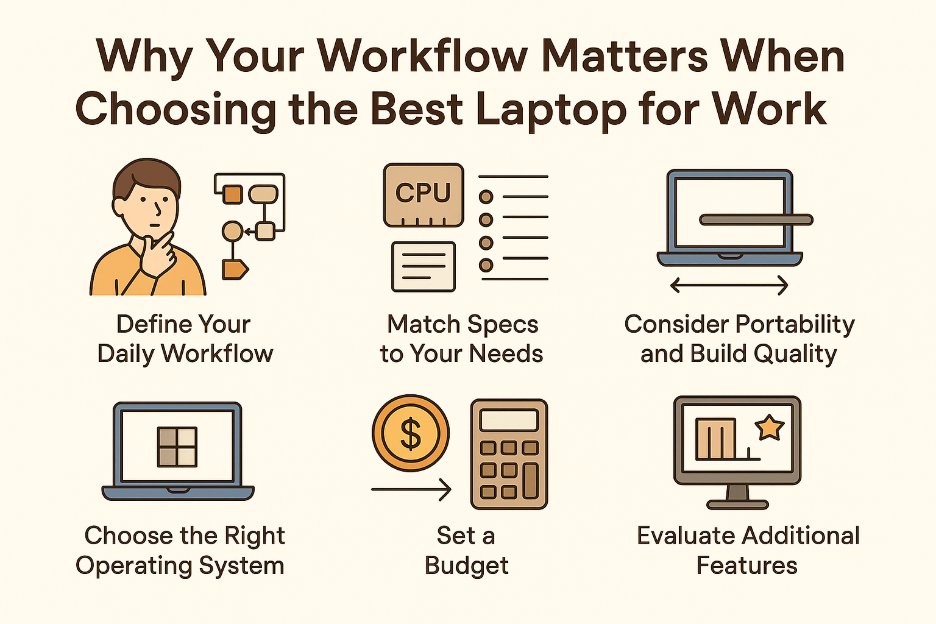
Why Your Workflow Matters When Choosing the Best Laptop for Work
Your daily tasks define the tools you need. A graphic designer editing high-resolution images in Adobe Photoshop has different requirements than a writer drafting articles in Google Docs. By understanding your workflow, you can prioritize specs like processing power, portability, or battery life. This approach saves you from overspending on features you don’t need or settling for a device that can’t keep up.
Let’s break down the key considerations to find the best laptop for work based on your daily activities.
Step 1: Define Your Daily Workflow
Before browsing laptops, take a moment to map out your typical day. Ask yourself:
- What tasks dominate your time? Are you coding, video editing, attending virtual meetings, or managing spreadsheets?
- Where do you work? Do you need a portable device for a coffee shop commute or a powerful machine for a stationary desk?
- What software do you use? Some programs, like AutoCAD or Premiere Pro, demand high-end hardware, while others, like Microsoft Word, are less resource-intensive.
- How mobile are you? If you’re always on the move, weight and battery life are critical.
For example, a freelance photographer editing RAW files needs a laptop with a vibrant display and robust graphics, while a data analyst crunching numbers in Excel might prioritize processing speed and RAM. Identifying these needs sets the foundation for choosing the best laptop for work.
Step 2: Match Specs to Your Needs
Once you’ve outlined your workflow, could you focus on the hardware that supports it? Here’s a breakdown of key specs and how they align with different work styles.
Processor (CPU)
For intensive tasks like video rendering or 3D modeling, opt for a high-performance CPU like an Intel Core i7/i9 or AMD Ryzen 7/9. If your work involves lighter tasks like email, web browsing, or document editing, an Intel Core i5 or AMD Ryzen 5 will suffice. For example:
- Creative professionals (video editors, animators): Choose a multi-core processor with high clock speeds.
- Office workers (emails, spreadsheets): A mid-range processor handles these tasks efficiently.
RAM
RAM affects how smoothly your laptop multitasks. If you’re juggling multiple apps—say, Zoom, Slack, and Photoshop—aim for at least 16GB of RAM. For basic tasks like browsing or word processing, 8GB is often enough. Programmers or data scientists running virtual machines or complex datasets may need 32GB or more.
Storage
Solid-state drives (SSDs) offer faster boot times and file access compared to traditional hard drives (HDDs). For most professionals, a 512GB SSD strikes a balance between speed and capacity. If you work with large files (e.g., 4K videos), consider 1TB or pair an SSD with an external drive for extra storage.
Graphics (GPU)
Integrated graphics, like Intel Iris Xe or AMD Radeon, are fine for general tasks. However, creative professionals working with 3D rendering or video editing should invest in a dedicated GPU, such as an NVIDIA GeForce RTX series, for smoother performance.
Display
Screen size and quality matter, especially if your work involves visuals. A 13- to 15-inch display is ideal for portability, while a 17-inch screen suits stationary setups. For colour accuracy, look for displays with 100% sRGB coverage or 4K resolution. Likewise, if you’re mostly typing or coding, a Full HD (1920×1080) screen is sufficient.
Battery Life
If you work remotely or travel frequently, prioritize a laptop with at least 10 hours of battery life. Models like the MacBook Air or Dell XPS 13 excel in this area.
Step 3: Consider Portability and Build Quality
The best laptop for work should fit your lifestyle. If you’re constantly moving between meetings or coworking spaces, a lightweight laptop like the Lenovo ThinkPad X1 Carbon or HP Spectre x360 is ideal. For desk-bound work, weight is less critical, but durability matters. Therefore, look for laptops with sturdy materials like aluminum or magnesium alloy to withstand daily wear.
Step 4: Choose the Right Operating System
Your operating system (OS) shapes your workflow. Here’s how the main options stack up:
- Windows: Versatile and compatible with most software, making it ideal for business, gaming, or creative work. Brands like Dell, HP, ASUS, and Lenovo offer a wide range of Windows laptops.
- macOS: Preferred by creatives for its integration with tools like Final Cut Pro and Logic Pro. MacBooks are also known for their sleek design and long battery life.
- ChromeOS: Budget-friendly and great for cloud-based workflows, such as Google Workspace. Chromebooks are lightweight and secure but limited for heavy software.
- Linux: Favoured by developers for its flexibility and open-source nature. However, it requires technical know-how to set up.
For example, if you’re in the Apple ecosystem, a MacBook might be the best laptop for work due to its seamless integration with iPhones and iPads.
Step 5: Set a Budget
Laptops range from ₹24,600 budget models to ₹246,000+ premium devices. Determine your budget based on your workflow demands:
- Under ₹41,000: Chromebooks or entry-level Windows laptops for basic tasks like browsing or document editing.
- ₹41,000–₹82,000: Mid-range laptops like the Lenovo IdeaPad, suitable for students or office workers.
- ₹82,000–₹164,000: High-performance options like the MacBook Air, Dell XPS 13, or ASUS ZenBook, ideal for professionals with demanding tasks.
- ₹164,000+: Premium laptops like the MacBook Pro or HP ZBook for creatives or power users needing top-tier specs.
Step 6: Evaluate Additional Features
Beyond core specs, consider features that enhance your workflow:
- Keyboard and Trackpad: A comfortable keyboard is important for writers or coders. Therefore, test the key travel and layout if possible. Likewise, a responsive trackpad improves navigation.
- Webcam and Microphone: For remote workers, a 1080p webcam and a clear microphone are necessary for video calls.
- Connectivity: Wi-Fi 6 and Bluetooth 5.0 provide faster, more reliable connections.
- Upgradability: Some laptops allow RAM or storage upgrades to extend their lifespan.
Final Thoughts
Choosing the best laptop for work is about aligning specs, features, and budget with your daily workflow. By understanding your tasks, prioritizing key components, and considering portability and OS, you’ll find a device that boosts productivity and fits your lifestyle. Take your time to research and compare options—your perfect laptop is out there, ready to power your workday.
Visit Laptop World in Bangalore, your one-stop multi-brand store for top brands like HP, Dell, ASUS, Lenovo, and Apple. Explore our wide range, compare features, and get hands-on advice to pick the perfect device. Walk into our store today and find the best laptop for work that fits your needs and budget!
FAQs
1. What makes Laptop World the best place to find a laptop for work?
Laptop World in Bangalore offers a wide range of top brands like HP, Dell, ASUS, Lenovo, and Apple, with expert guidance to match the best laptop for work to your specific workflow, ensuring you find a device that boosts productivity.
2. How do I determine the right laptop specs for my daily tasks?
Analyze your workflow—consider tasks like video editing, coding, or document work. Prioritize CPU (e.g., Intel i7 for heavy tasks), RAM (16GB for multitasking), storage (512GB SSD), and GPU (dedicated for creative work) based on your needs.
3. Why is understanding my workflow important when choosing a laptop?
Your workflow dictates the specs you need. For example, graphic designers require high-resolution displays, while office workers need reliable processors for multitasking, helping you select the best laptop for work without overspending.
4. Should I prioritize portability or performance for my work laptop?
If you’re mobile, choose a lightweight laptop like the Lenovo ThinkPad X1 Carbon. For desk-based work, focus on performance with powerful specs.